Statuspage is Atlassian's status and incident communication platform that lets you keep customers informed about outages, scheduled maintenance, and service health. Integrating Statuspage with Frontegg allows your application to manage pages, components, incidents, subscribers, metrics, and team access on behalf of your users.
Statuspage authenticates with an API key (no OAuth flow). You generate the key in your Statuspage organization and paste it into the Frontegg portal.
Prerequisites
Prerequisites
- A Statuspage account with access to your organization's settings
- Permission to create organization API keys
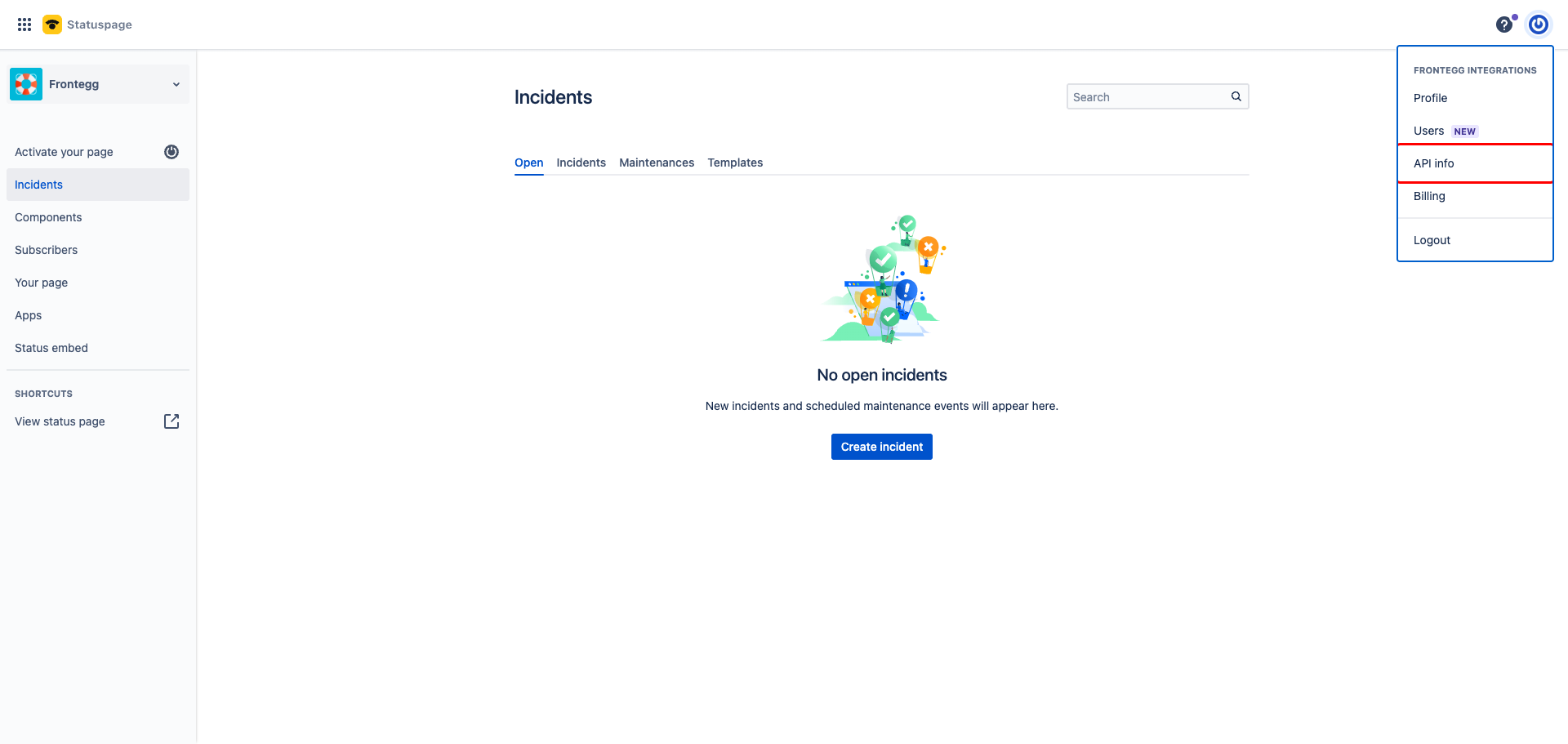
Log in to manage.statuspage.io. Click Your profile and settings in the top-right corner, then select API info from the menu.
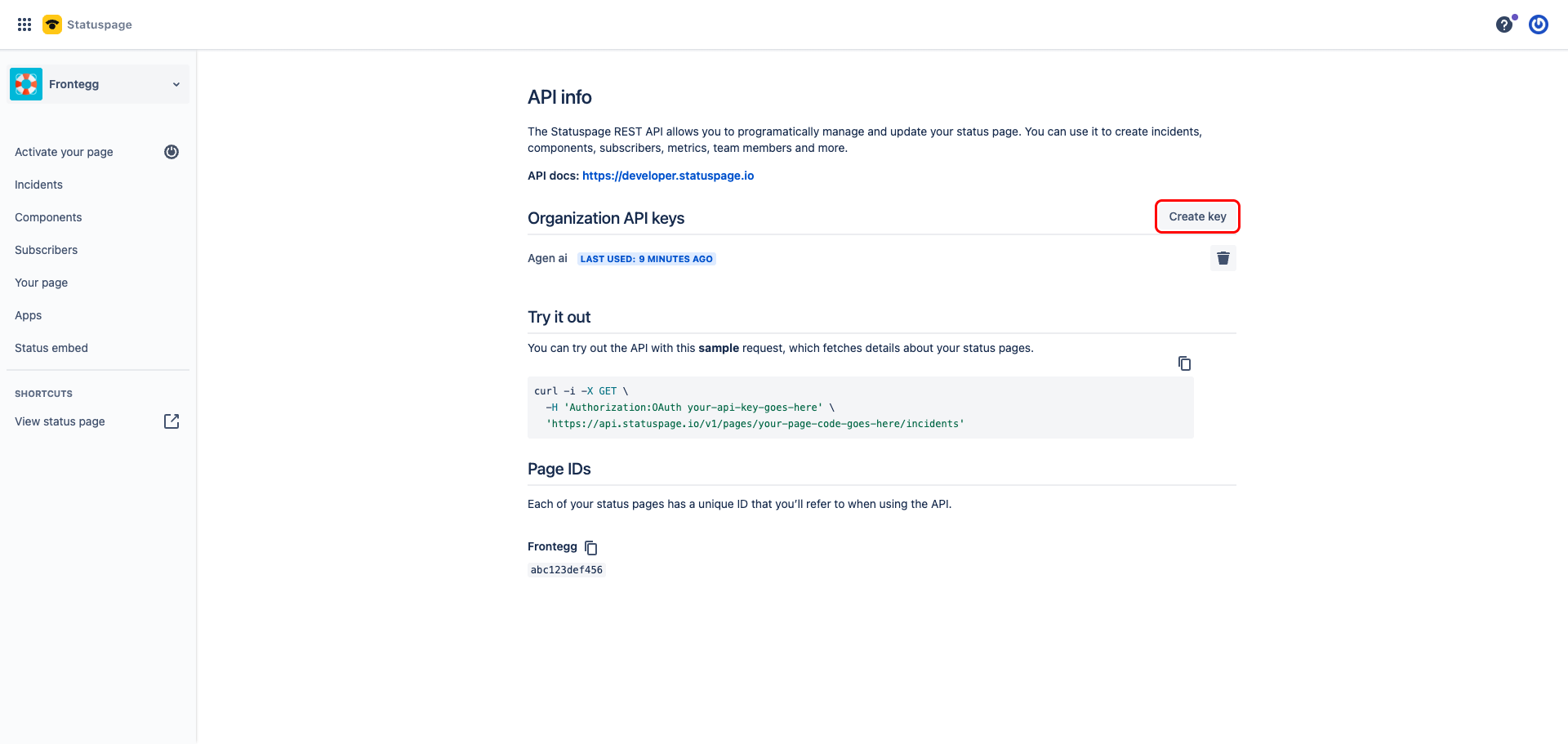
Under Organization API keys, click Create key.
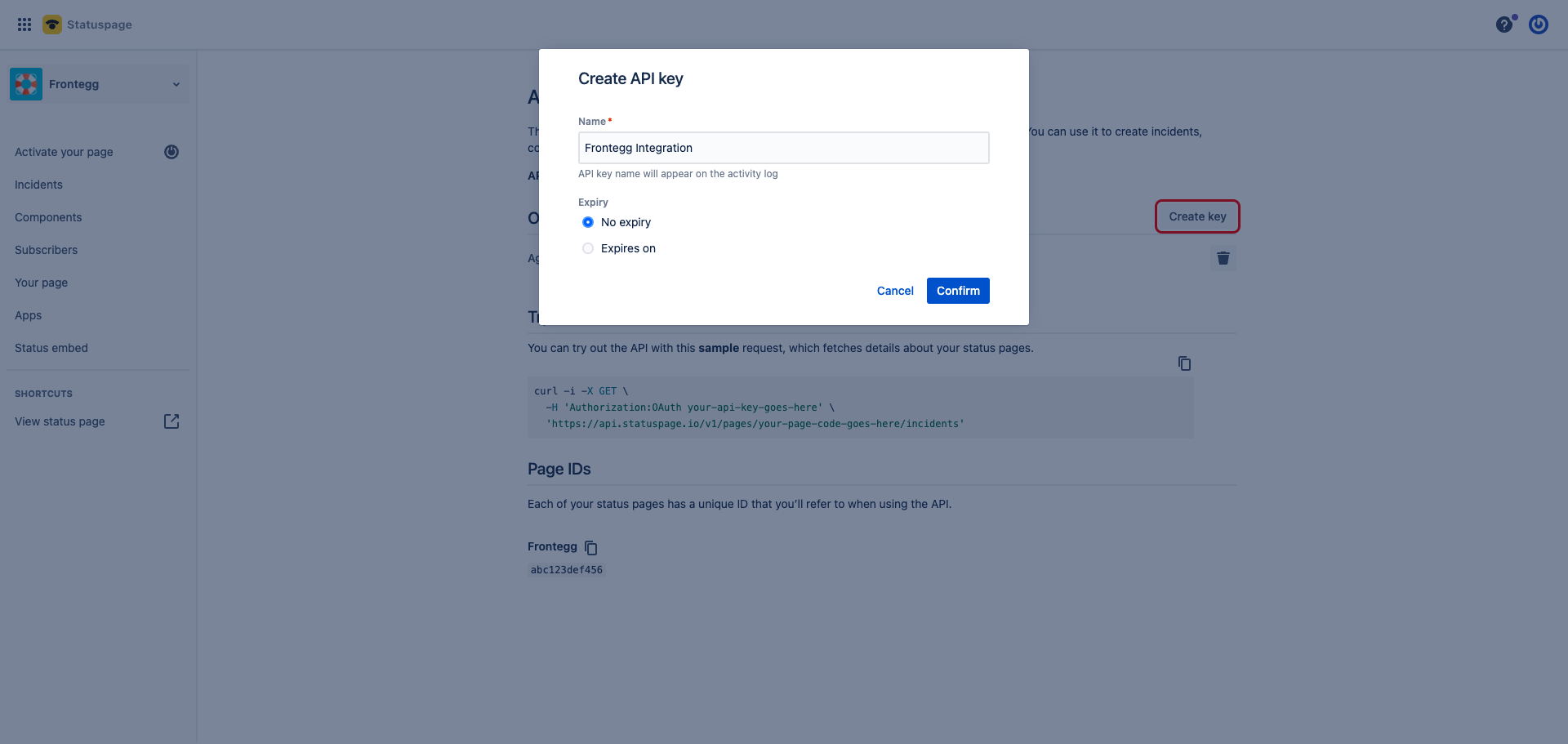
Enter a descriptive name such as Frontegg Integration. For the Expiry, choose No expiry so the integration keeps working long-term — if you set an expiry date, you will need to generate and re-enter a new key when it expires. Click Confirm.
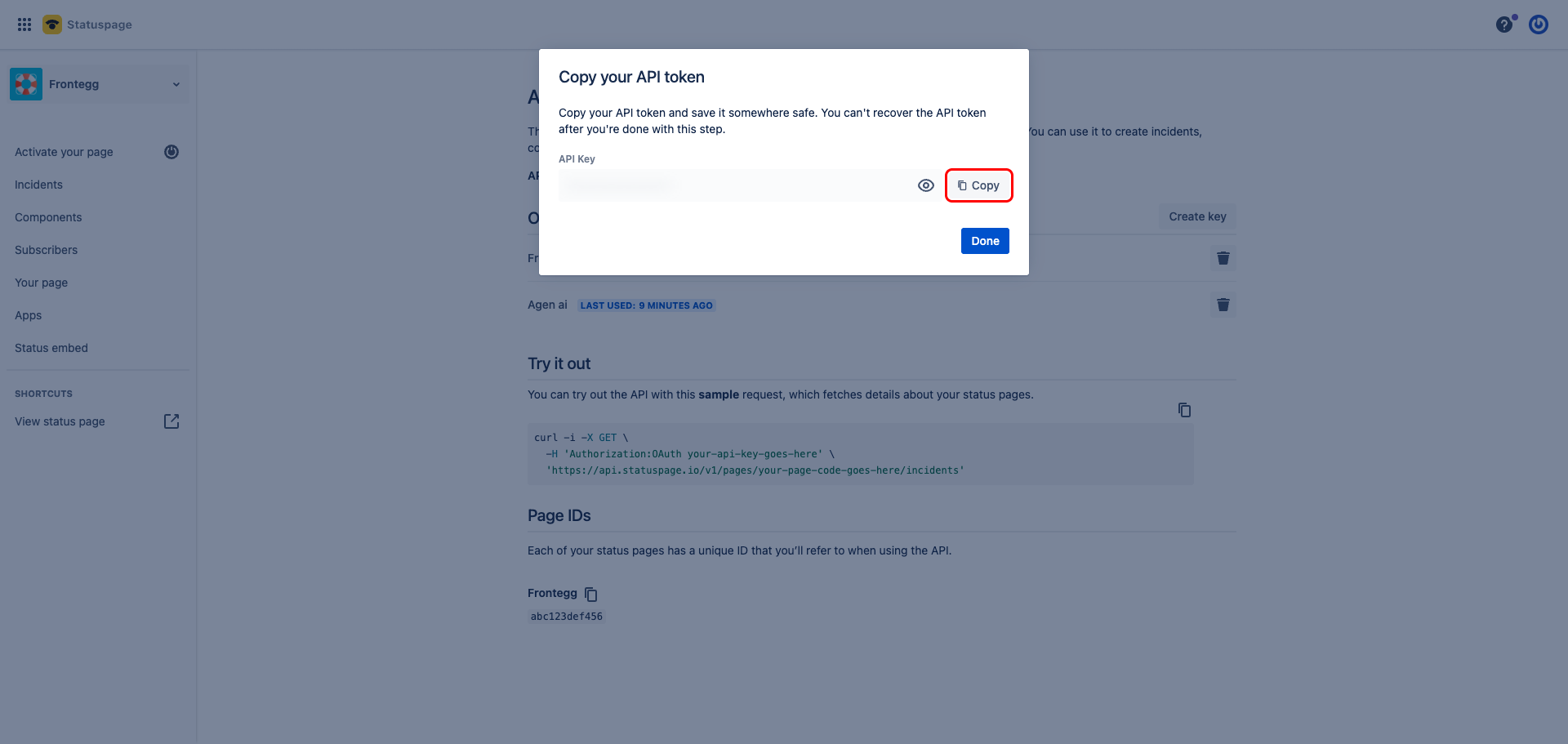
Statuspage displays the API key only once. Click Show API key to reveal it, then copy the value and store it somewhere safe — you cannot recover it after closing this dialog.
Keep your API key secure
Keep your API key secure
Treat the API key like a password. Never share it or commit it to version control. If it is exposed, delete the key in Statuspage and generate a new one.
Once you have copied your API key from the steps above, enter it in the integration configuration page of the Frontegg portal:
- Open the Frontegg portal and navigate to [ENVIRONMENT] → Integrations → Statuspage.
- Paste the API key into the corresponding field.
- Click Save.