Datadog can be connected to Agen.co two ways, matching the Official / In-house filter in the connector picker:
- Official — Agen.co connects through Datadog's own hosted MCP server, so your AI agents use the same toolset-based tools (logs, metrics, monitors, dashboards, incidents, and more) Datadog exposes to MCP clients like Claude, Cursor, and ChatGPT.
- In-house — Agen.co wraps the Datadog API directly through its own integration layer, using a dedicated API Key and Application Key.
Pick Official if the toolset-based MCP tools cover what your agents need. Fall back to In-house if you need broader API coverage.
Prerequisites
Prerequisites
- A Datadog account with access to Organization Preferences
- The connecting user needs the
mcp_readpermission (andmcp_writefor any write-capable tools), plus the usual resource-level permissions for whatever toolsets you enable — the built-in Datadog Standard Role has both by default. An organization admin controls both overall MCP access and MCP write access for the org from Organization Settings, and can addMCP Read/MCP Writeto a custom role under Organization Settings → Roles. - Datadog's Government (
ddog-gov.com) sites are not supported by the MCP server
- In the Agen.co portal, go to Connectors → My connectors and click Add connector.
- In the Select connector drawer, search for
Datadogand select it. The Add Datadog panel opens. - The form comes pre-filled with defaults — adjust the fields as needed:
| Field | Required | Description |
|---|---|---|
| Instance Slug | No | Distinguishes multiple instances of this MCP connector — it prefixes each imported tool as slug__tool. Use lowercase kebab-case; leave empty for a single instance. This value is immutable after creation. |
| Datadog site | Yes | Your Datadog site domain (for example, datadoghq.com for US1, datadoghq.eu for EU, us3.datadoghq.com, us5.datadoghq.com, ap1.datadoghq.com, ap2.datadoghq.com, or uk1.datadoghq.com). Match this to the site you sign in to — check the URL you use to log in to Datadog if unsure. Defaults to datadoghq.com. |
| Toolsets | Yes | One or more Datadog MCP toolsets to expose (see table below). Defaults to core. |
| Authentication | Yes | OAuth (default) or API token. Switching to API token replaces the steps below with a single API key field and skips the redirect-URL registration entirely — see the note below. |
Double-check Datadog site before continuing — it must match the site you actually sign in to. Picking the wrong one causes the approval step below to fail or route you to the wrong Datadog account.
- With Authentication left on OAuth, register Agen.co's redirect URLs with Datadog before clicking Connect:
- In a separate tab, open Datadog, click your profile icon in the bottom-left corner, and select Organization Settings.
- In the sidebar, under General, select Preferences.
- If your agents need to create or modify Datadog resources (not just read them), enable MCP write access. An organization admin may also need to confirm overall MCP access is enabled for the org here — if Connect fails even with a correct redirect URL, check this first.
- Scroll down to the MCP OAuth Redirect URLs section and paste in both the Callback URL and Gateway callback URL values shown on the Agen.co panel.
- Save your changes.
- Back in Agen.co, click Connect as soon as the redirect URLs are saved. You're redirected to Datadog to approve access — no separate sign-in is required.
If this redirect lands you on a Datadog sign-in screen instead of an approval screen, the site/region selector on that screen probably doesn't match the Datadog site you entered in step 3. Use the dropdown on the sign-in screen to pick the correct site manually.
Don't let the authorization sit
Don't let the authorization sit
The OAuth state Agen.co generates when you click Connect expires after a few minutes. If you spend a while registering the redirect URLs in Datadog first, or come back to this panel later, approving access can fail with InvalidStateError. If that happens, close the panel, click Add connector again, and run Connect right after the redirect URLs are already saved.
- On Datadog's consent screen, choose Limited access for read-only tools, or the full-access option if your agents also need write-capable tools — this is where the
mcp_read/mcp_writepermissions from the Prerequisites actually get exercised. Approve access, and you're returned to Agen.co with a list of the tools this connector will expose. - Click Add below the tools list to finish setting up the connector.
Skipping OAuth with an API token
Skipping OAuth with an API token
Switching Authentication to API token replaces steps 4–6 with a single API key field and no redirect-URL setup. Despite the field's name, Datadog expects a Personal Access Token (PAT) or Service Access Token (SAT) here, sent as a Bearer token — not a classic Datadog API Key from the API Keys page, which doesn't carry the mcp_read / mcp_write permission. Generate one from Personal Settings → Access Tokens (PAT) or an org's service account (SAT).
Available toolsets, exactly as the Toolsets dropdown lists them:
| Toolset | What it covers |
|---|---|
| all | Enable every available Datadog toolset |
| core (default) | Logs, metrics, traces, dashboards, monitors, incidents, hosts, services, events, and notebooks |
| alerting | Validate and create monitors, search monitor groups, retrieve monitor templates, analyze monitor coverage, and search SLOs |
| cases | Case Management: create, search, and update cases; manage projects; and link Jira issues |
| cost | Cloud Cost Management, including cost-saving recommendations ranked by estimated potential daily savings |
| dashboards | Retrieve, create, update, and delete dashboards, plus widget schema reference and validation |
| dbm | Interact with Database Monitoring |
| ddsql | Query Datadog data using DDSQL across infrastructure resources, logs, metrics, RUM, spans, and other sources |
| error-tracking | Interact with Datadog Error Tracking |
| feature-flags | Manage feature flags, including creating, listing, and updating flags and their environments |
| kubernetes | Search and describe Kubernetes resources and retrieve manifests across all clusters |
| llmobs | Search and analyze Agent Observability spans and experiments |
| networks | Cloud Network Monitoring analysis and Network Device Monitoring |
| onboarding | Agentic onboarding tools for guided Datadog setup and configuration |
| product-analytics | Interact with Product Analytics queries |
| profiling | Discover, explore, and analyze Continuous Profiler data |
| reference-tables | Manage Reference Tables, including listing tables, reading and appending rows, and creating tables from cloud storage |
| rum | Real User Monitoring: resolve applications, summarize performance, explore metrics, and manage retention filters and custom RUM metrics |
| security | Code security scanning and searching security signals and findings |
| software-delivery | Interact with Software Delivery (CI Visibility and Test Optimization) |
| synthetics | Interact with Datadog Synthetic tests |
| widgets | Dashboard and notebook widget visualization, validation, and type conversion |
| workflows | Workflow Automation: list, inspect, execute, and configure workflows for agent use |
Datadog's own MCP server documents additional toolsets — data-observability, assistant, audit-trail, code-exec, notebooks, sheets, and several Preview toolsets — that aren't in this connector's Toolsets dropdown yet. Only the toolsets listed above can be selected here.
Enabling the Datadog connector isn't enough on its own. Tool calls remain denied until you create a policy that grants access to the specific tools you want to expose.
Datadog is a cloud monitoring and observability platform that provides metrics, logs, traces, and dashboards for your infrastructure and applications. This integration connects Datadog to Frontegg using an API Key and Application Key, enabling your AI agent to query metrics, monitors, dashboards, logs, incidents, and more.
Prerequisites
Prerequisites
- A Datadog account with admin access
- Permission to create API Keys and Application Keys under Organization Settings
- The Datadog region your account is hosted in: US1, EU1, US3, US5, or AP1
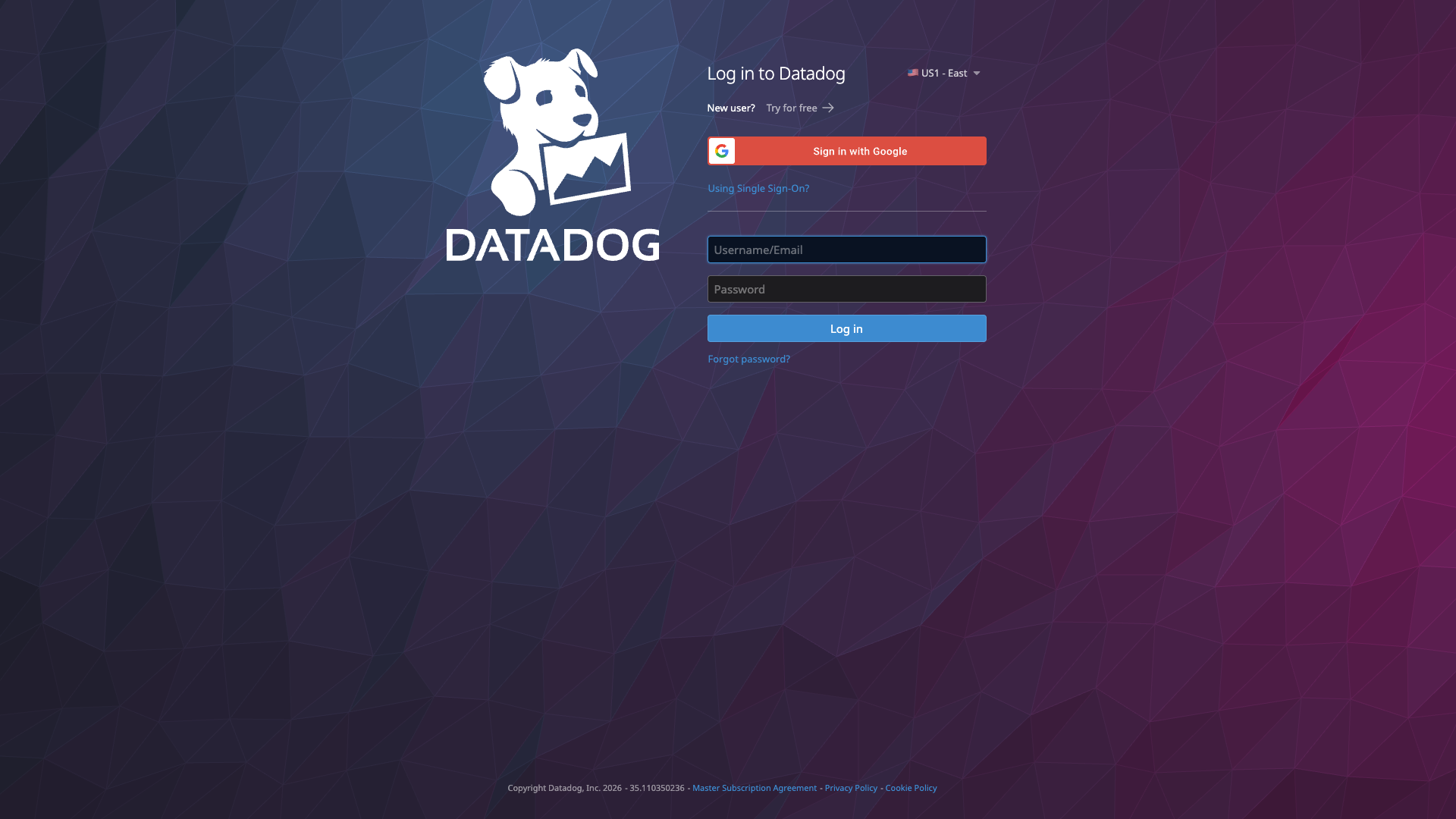
Go to app.datadoghq.com and log in to your Datadog account.
Open Organisation Settings from the top navigation and select API Keys from the left sidebar under Access.
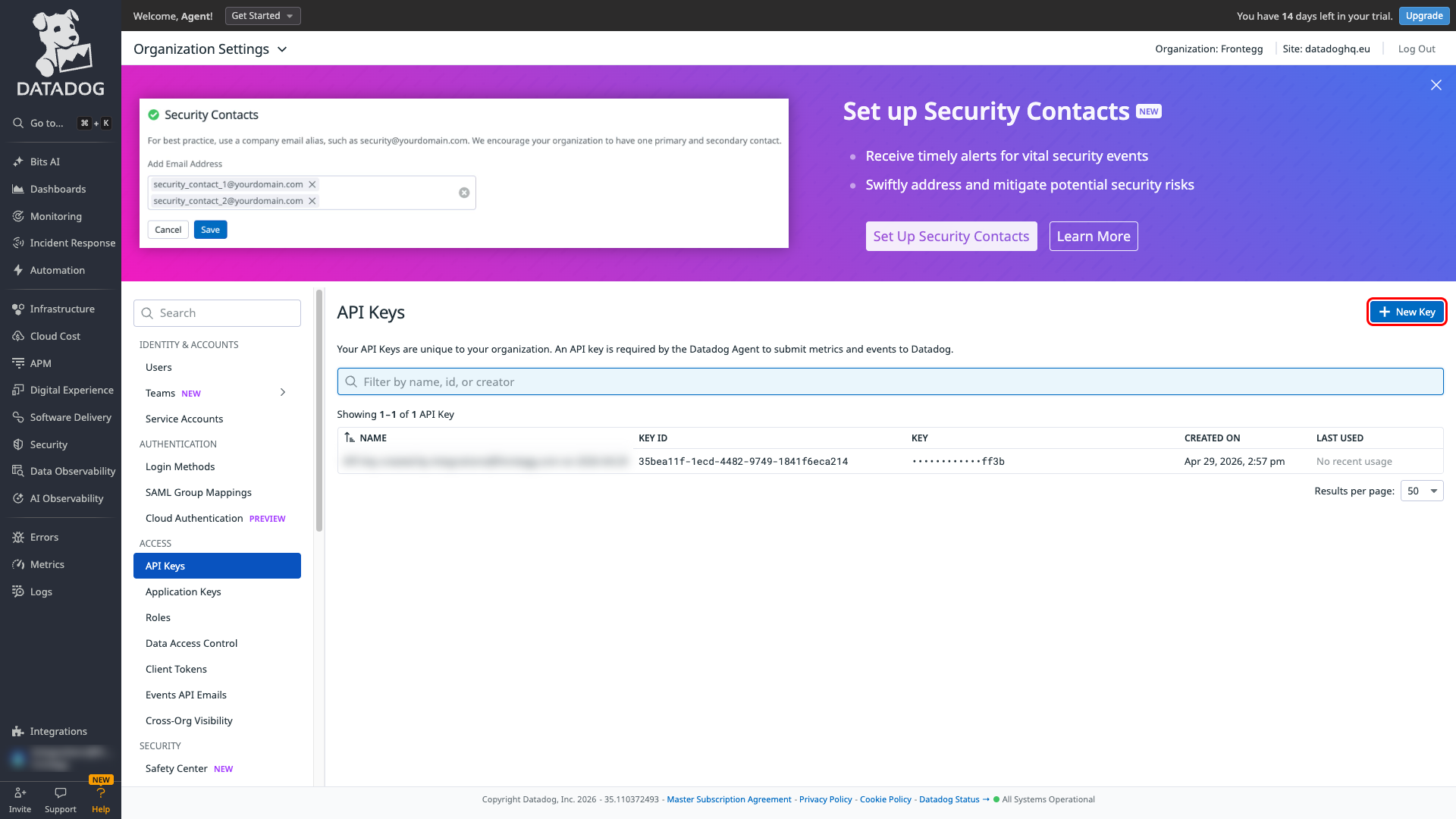
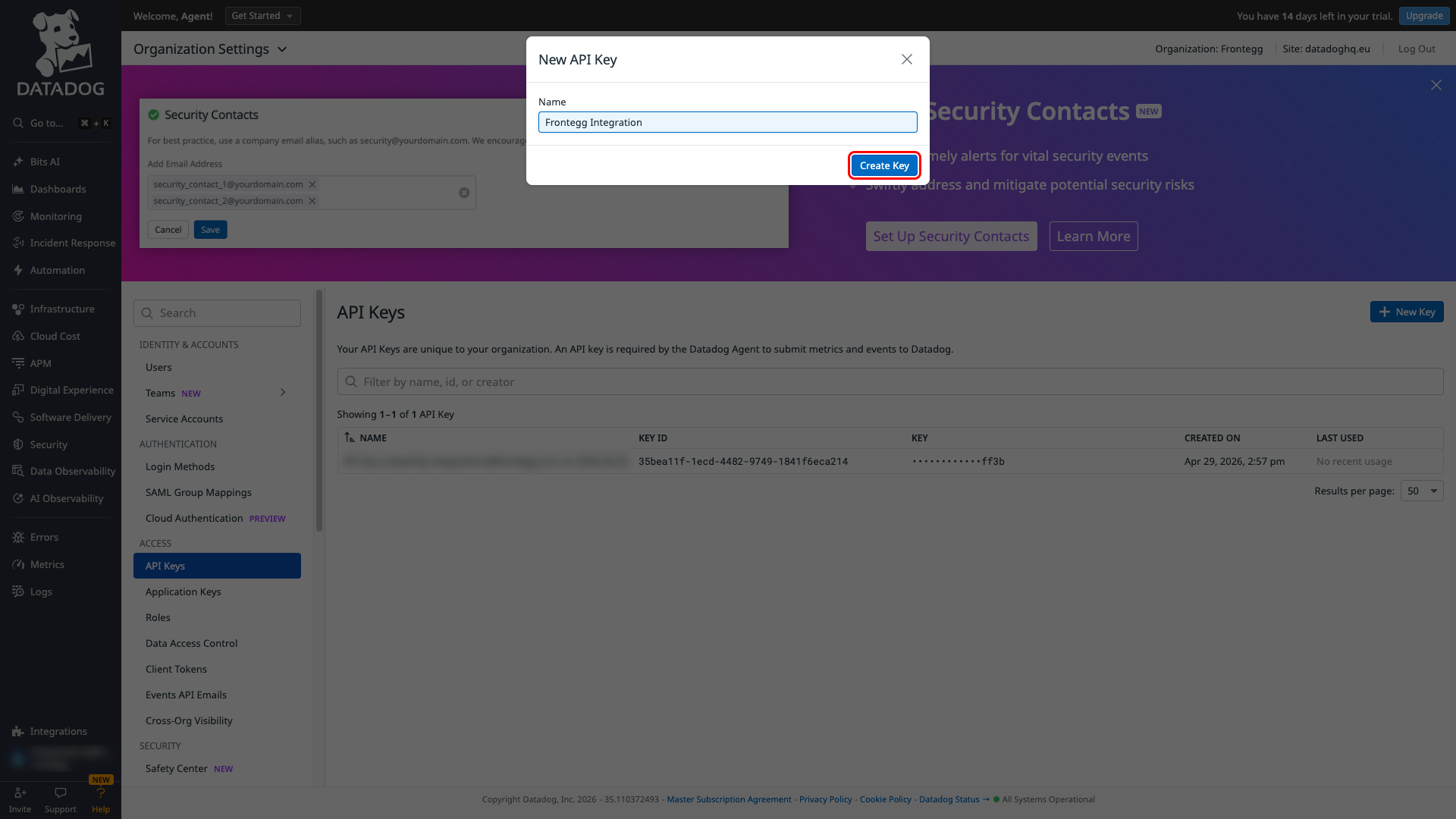
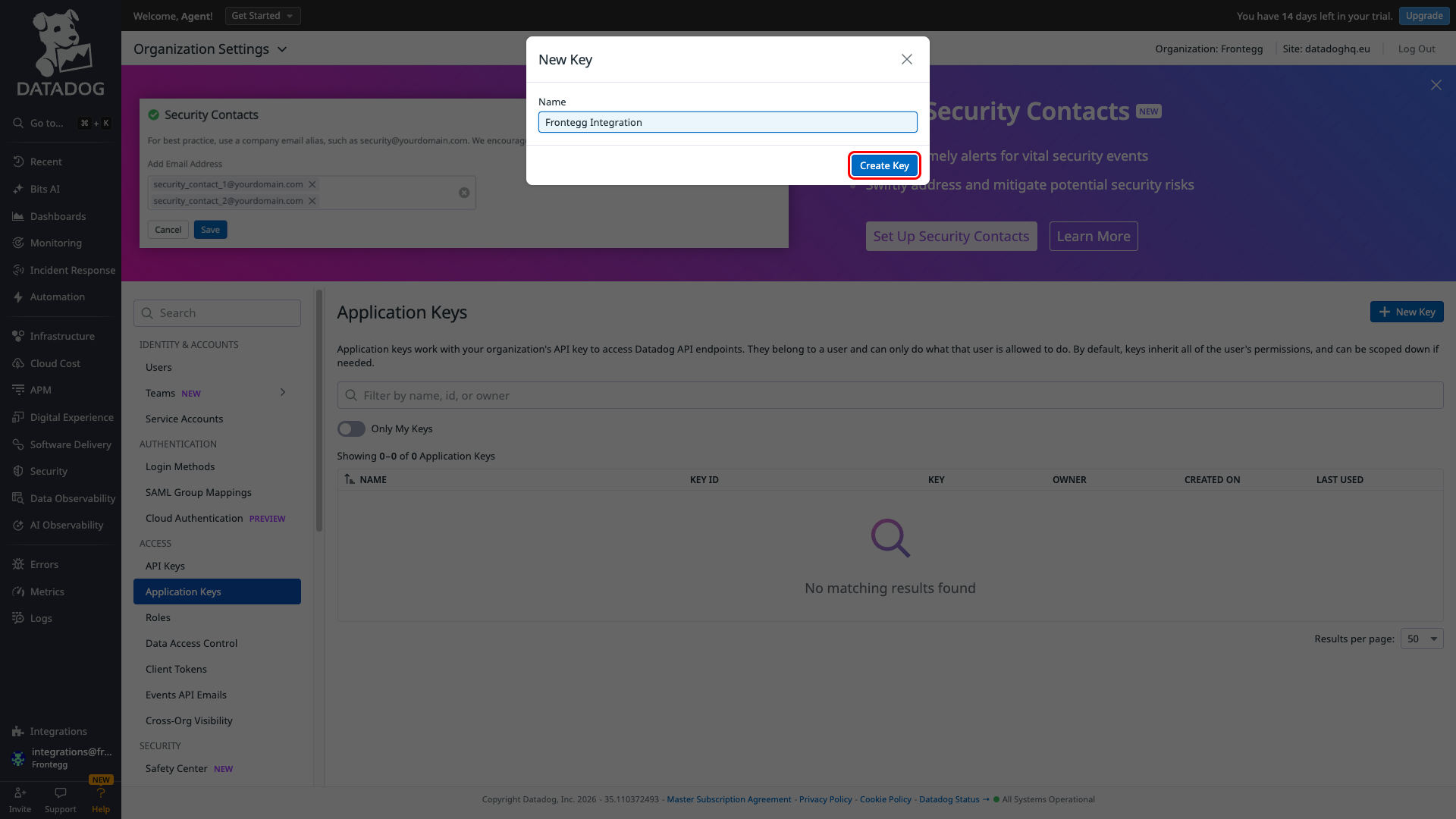
Click + New Key, enter Frontegg Integration as the name, and click Create Key.
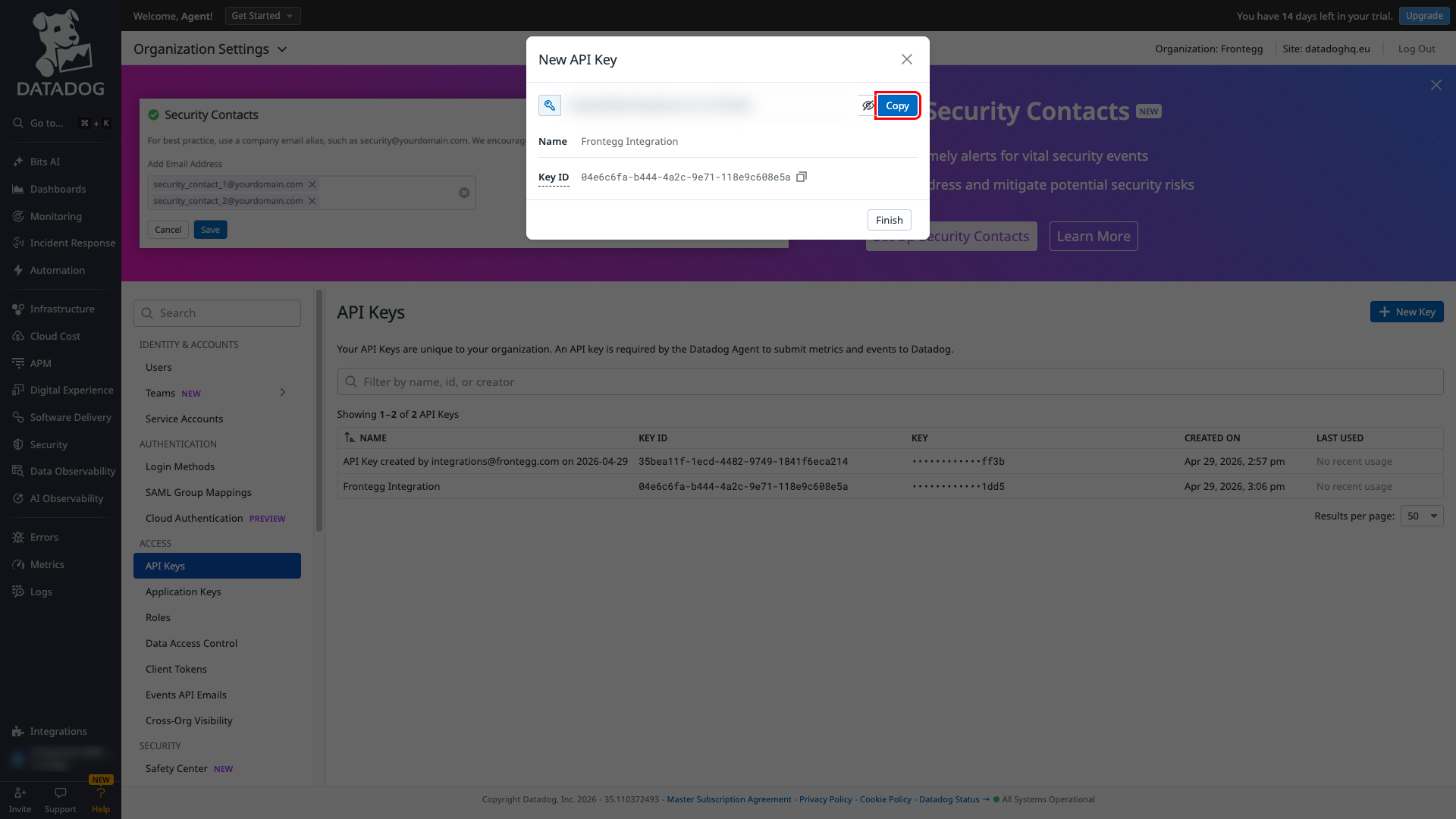
After the key is created, click Copy to copy the full API Key value. Save it — you will not be able to view the key again after closing this dialog.
Copy the key now
Copy the key now
Datadog only shows the full API Key once, immediately after creation. Copy it before closing the dialog.
In the left sidebar under Access, click Application Keys.
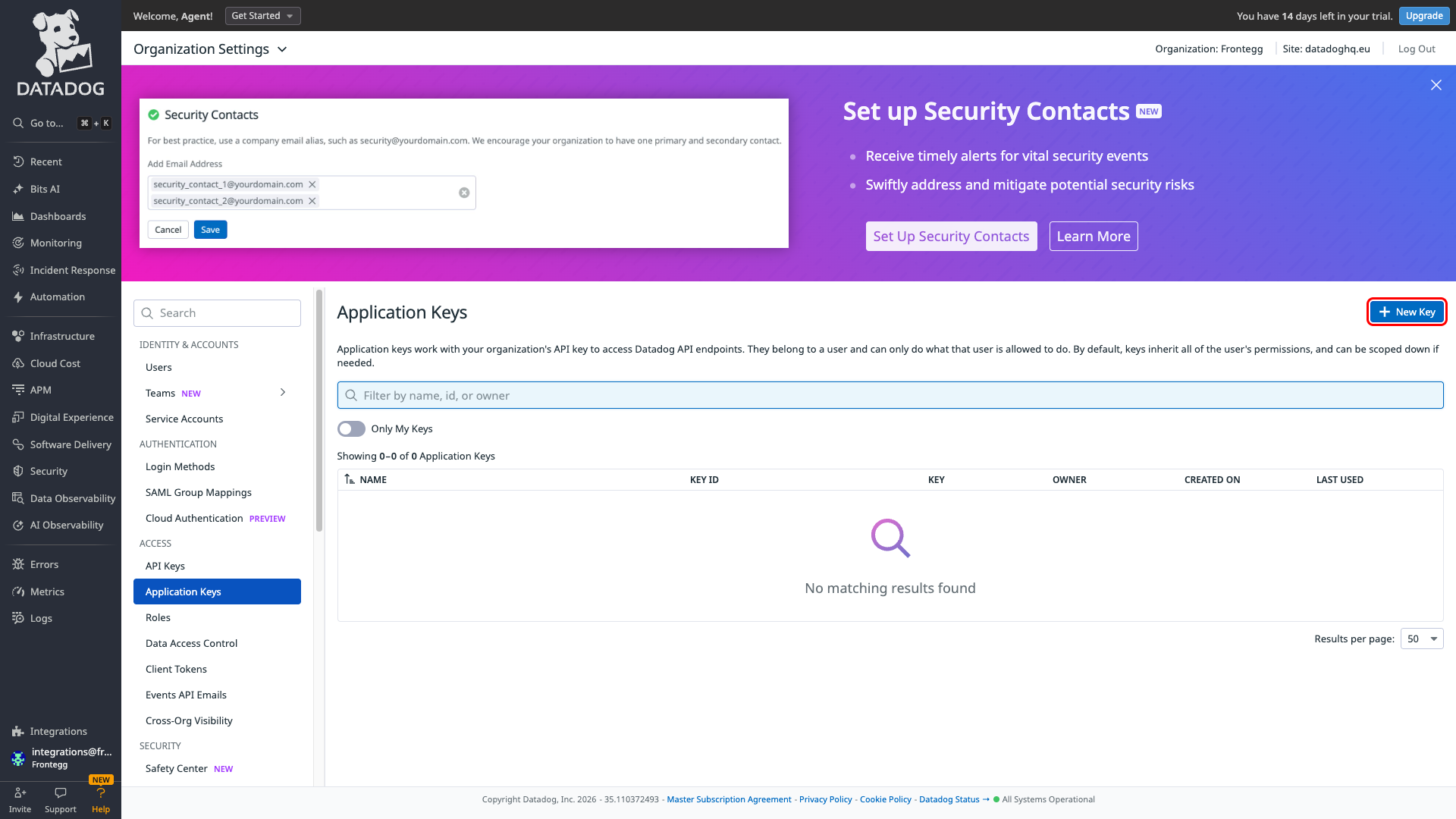
Click + New Key, enter Frontegg Integration as the name, and click Create Key.
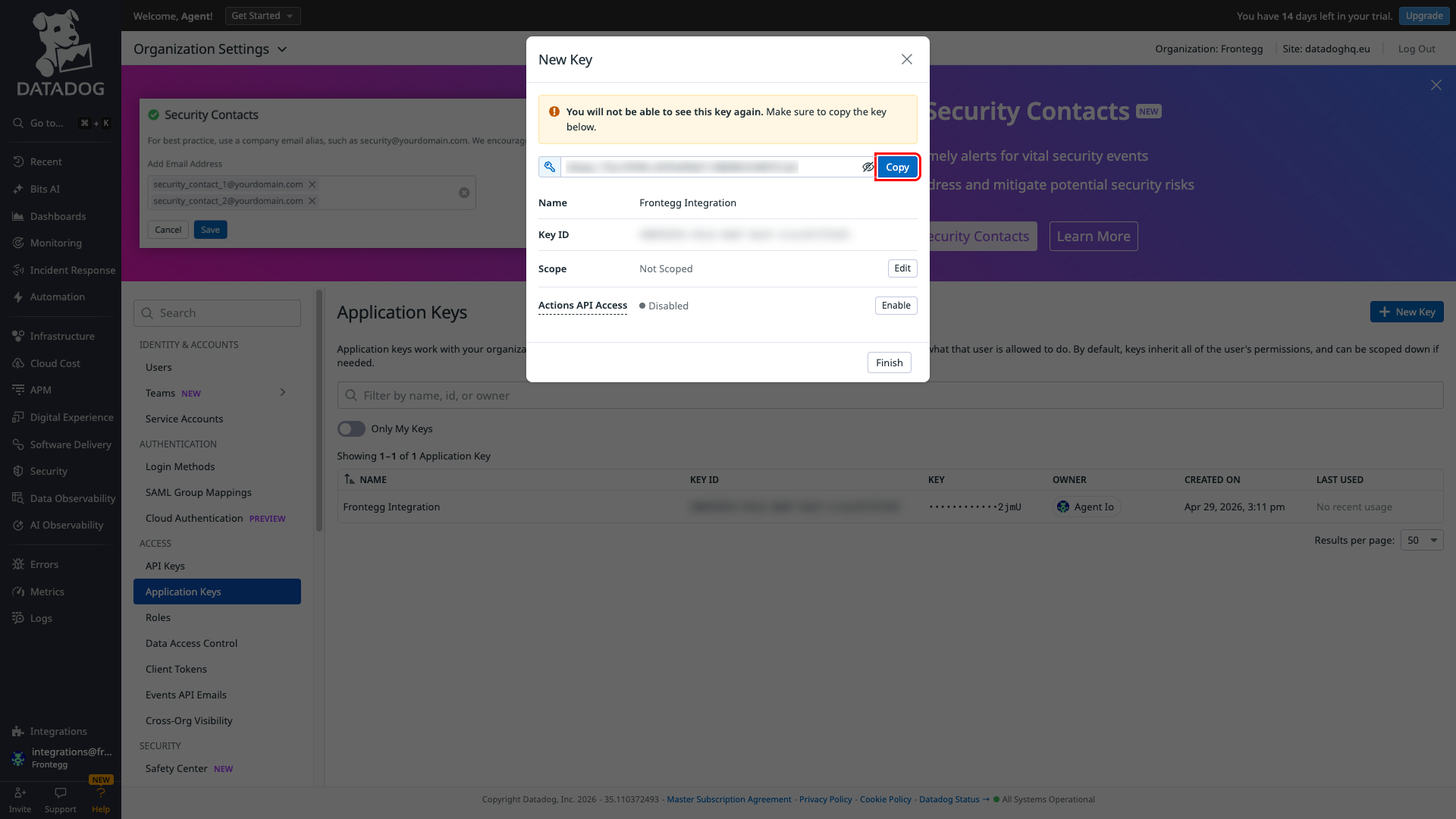
After the key is created, click Copy to copy the full Application Key value. Save it — you will not be able to view the key again after closing this dialog.
Copy the key now
Copy the key now
Datadog only shows the full Application Key once, immediately after creation. Copy it before closing the dialog.
An Application Key can be left unscoped, in which case it inherits your own permissions, or narrowed to a specific list of scopes. If you scope the key, grant the scopes below — each one covers a part of the integration, and omitting one disables the matching operations.
| Scope | Covers |
|---|---|
metrics_read | Reading metric metadata and the list of active metrics |
timeseries_query | Querying metric time series |
hosts_read | Listing hosts and host totals |
monitors_read | Reading monitors |
monitors_write | Creating, updating, deleting, muting, and unmuting monitors |
dashboards_read | Reading dashboards |
dashboards_write | Creating, updating, and deleting dashboards |
events_read | Reading events |
logs_read_data | Searching and aggregating logs |
apm_read | Searching and aggregating APM spans |
synthetics_read | Reading synthetic tests and their results |
incident_read | Reading incidents |
incident_write | Creating and updating incidents |
teams_read | Reading teams and their members |
user_access_read | Reading users |
user_access_invite | Inviting users |
user_access_manage | Updating users |
Creating events needs no scope
Creating events needs no scope
Creating an event, and muting or unmuting a host, are authorized by the API Key alone and do not require an Application Key scope.
Once you have obtained your API Key and Application Key from the steps above, enter them in the integration configuration page of the Frontegg portal:
- Open the Frontegg portal and navigate to [ENVIRONMENT] → Integrations → Datadog.
- Enter the API Key in the API Key field.
- Enter the Application Key in the Application Key field.
- Select your Region — US1, EU1, US3, US5, or AP1.
- Click Save.
The region must match your account
The region must match your account
Datadog runs separate regional services and keys are valid only in the region that issued them. Selecting the wrong region fails every call even when both keys are correct. If you are unsure, the region is the domain you use to sign in — datadoghq.com is US1, datadoghq.eu is EU1, and us3, us5, or ap1 appear in the domain for the others.
Keep your credentials secure
Keep your credentials secure
Never share or commit your API Key or Application Key to version control.
- Users can be listed a page at a time, which keeps responses small — an unbounded listing of a large organization returns far more data than an agent can work with.
- Metric queries return real time series over a requested window, rather than only the current value.
- Dashboards can be filtered to shared or deleted ones when listing them.
- Searching logs or APM spans requires Log Management or APM to be provisioned on your account with at least one index configured. Without one, those searches are rejected outright — this is an account entitlement, not a permission you can grant.
- Events cannot be deleted. Datadog offers no delete operation, so an event created through the integration stays in your event stream permanently.
- Host listings return at most 1000 hosts per request and default to 100; most other listings return at most 100 per page.
- Reading users returns a large amount of related role data alongside each user, so listings should be paged rather than fetched whole.
- Muting a host or a monitor is authorized by the API Key alone, so restricting the Application Key's scopes does not prevent it.