G2 is a software marketplace and peer-review platform with market research and buyer-intent data. Integrating G2 with Frontegg lets your application browse products, categories, and vendors, read reviews, snippets, and ratings, manage research boards, and access buyer-intent data on behalf of your users — all through Frontegg's integration layer using G2's OAuth 2.0 authorization.
Prerequisites
Prerequisites
- A G2 account with access to the G2 Developer Portal
You register an OAuth 2.0 app in the G2 Developer Portal. The app provides the Client ID and Client Secret and defines the redirect URL that G2 returns users to after they authorize access.
Sign in to the G2 Developer Portal and open the OAuth Apps tab. Click New OAuth App.
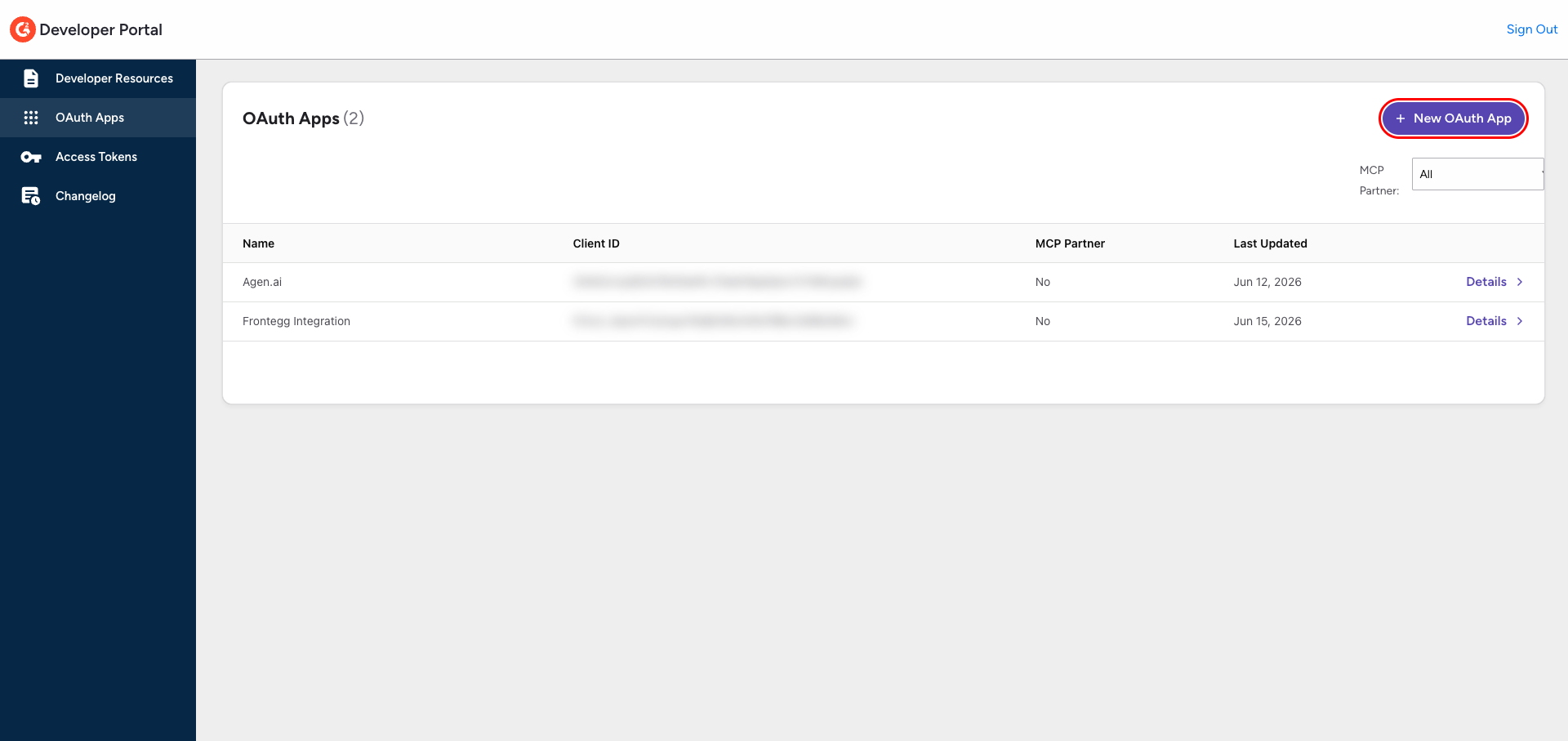
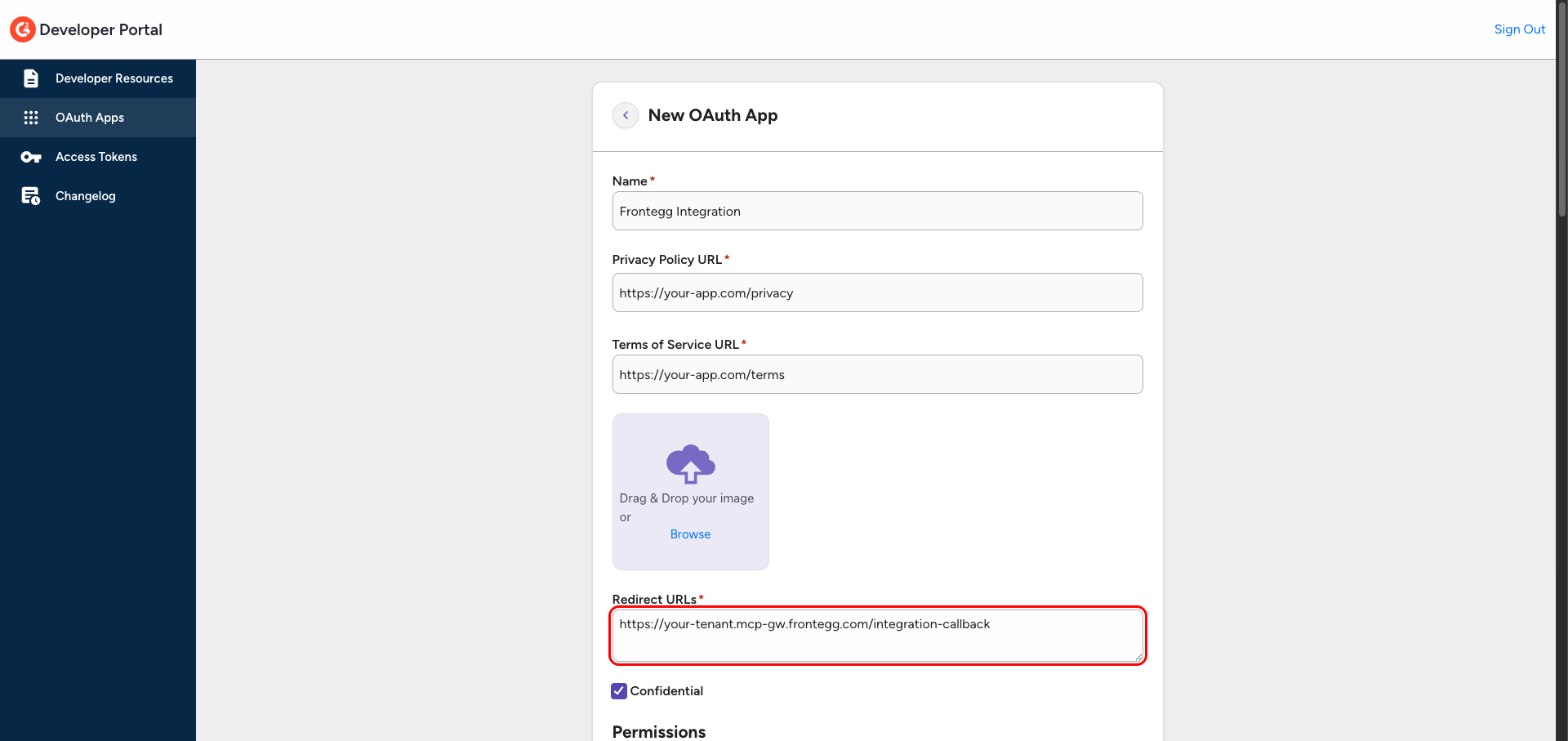
Complete the New OAuth App form:
- Name — A descriptive name, for example
Frontegg Integration. - Privacy Policy URL and Terms of Service URL — Your app's URLs.
- Redirect URLs — Your Frontegg Redirect URL:
https://YOUR_MCP_GATEWAY_URL/integration-callback - Confidential — Leave this checked (the client secret is stored securely on Frontegg's server).
- Permissions — Select Read for each endpoint your integration needs (for example, Products, Reviews, Vendors, Research Boards). OpenID and Profile are always granted.
Click Save.
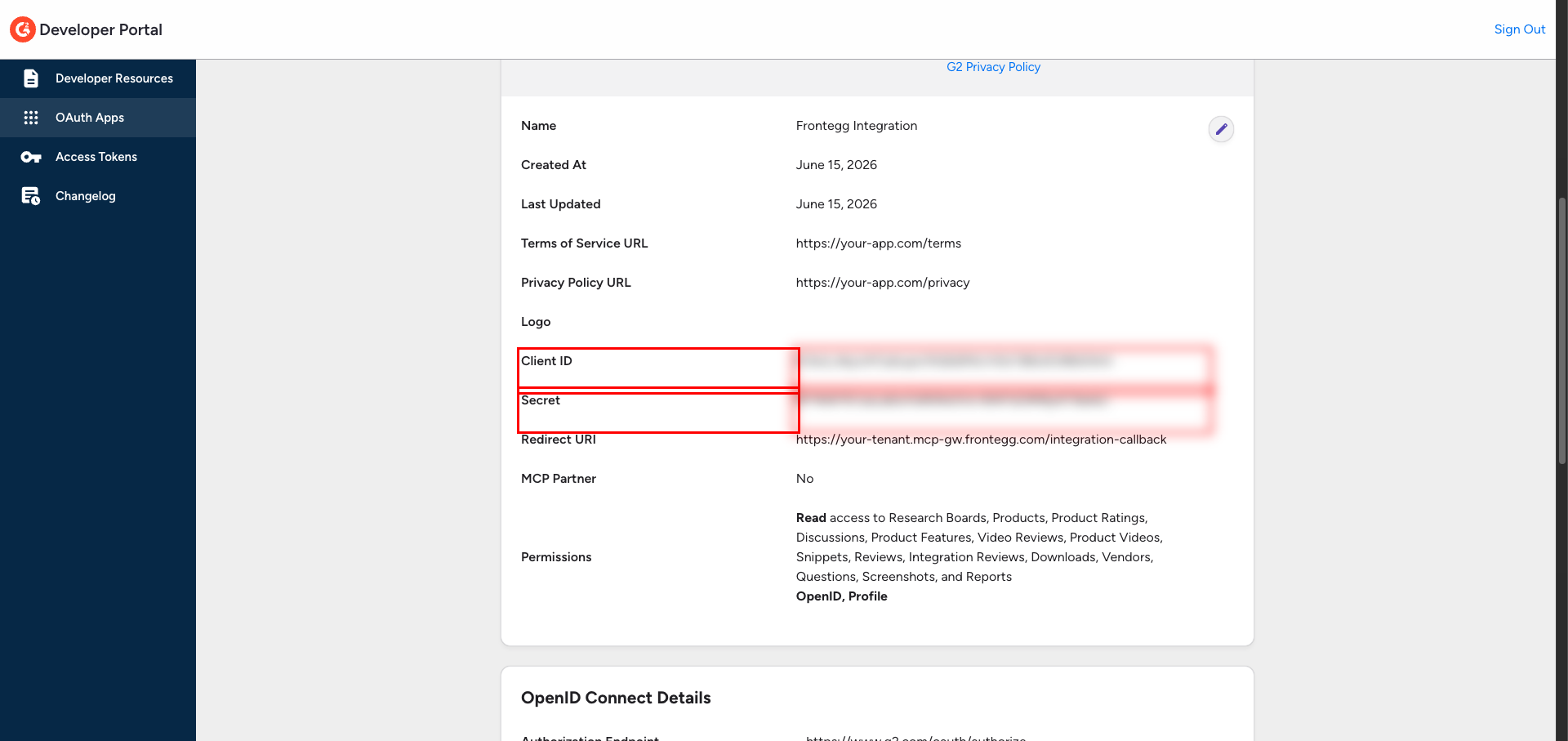
Open the app from the OAuth Apps list and click Details. G2 displays the Client ID and Secret. Copy both values.
Keep your Client Secret safe
Keep your Client Secret safe
Treat the Client Secret like a password. Never expose it in client-side code or commit it to version control.
Once you have your Client ID and Client Secret, configure the integration in the Frontegg portal:
- Open the Frontegg portal and navigate to [ENVIRONMENT] → Integrations → G2.
- Enter the Client ID and Client Secret.
- Select the required scopes:
| Scope | Description |
|---|---|
openid | Authenticate your G2 account |
profile | Read your G2 user profile |
data_subscriptions.read | Read G2 buyer-intent and data-subscription data |
data_subscriptions.read_write | Manage G2 data subscriptions |
- Click Save.
Paid data subscriptions
Paid data subscriptions
The data_subscriptions scopes cover G2's paid buyer-intent and data-subscription APIs. Select them only if your G2 plan includes data subscriptions; the browse, review, and research endpoints work with openid and profile alone.
Keep your credentials secure
Keep your credentials secure
Never share or commit your Client Secret to version control.