ConvertKit (now rebranded as Kit) is an email marketing platform designed for creators, bloggers, and online businesses. It provides tools for managing subscribers, creating email sequences, building landing pages, and sending broadcast emails. Integrating ConvertKit with Frontegg allows your application to manage subscribers, tags, forms, sequences, and broadcasts on behalf of your users through API key authentication.
Prerequisites
Prerequisites
- A ConvertKit (Kit) account (free or paid plan). Sign up at kit.com
Log in to your Kit account and click your profile avatar in the top-right corner. Select Settings from the dropdown menu.
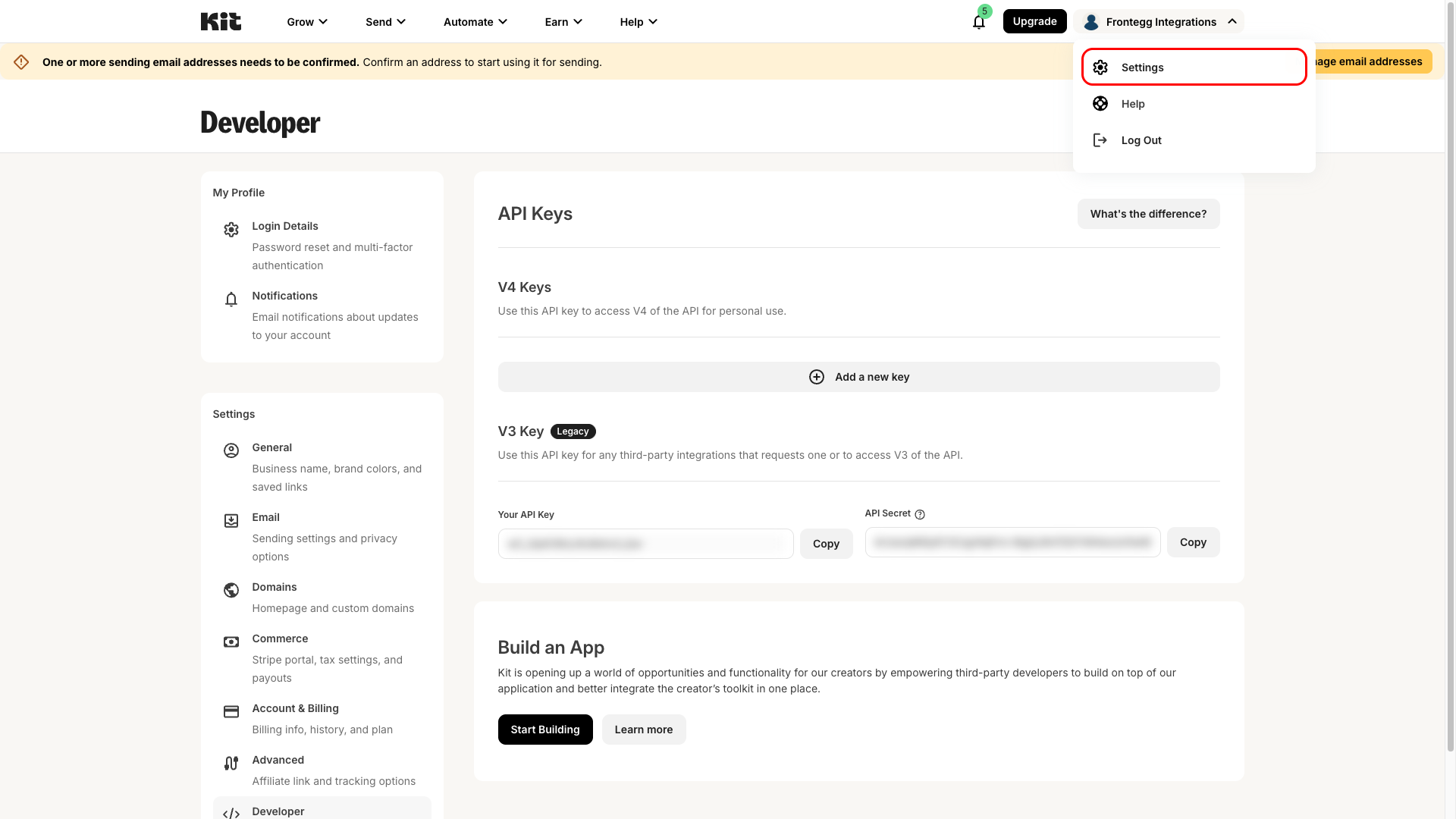
In the Settings sidebar on the left, click Developer under the Settings section. This opens the Developer page where you can find your API credentials.
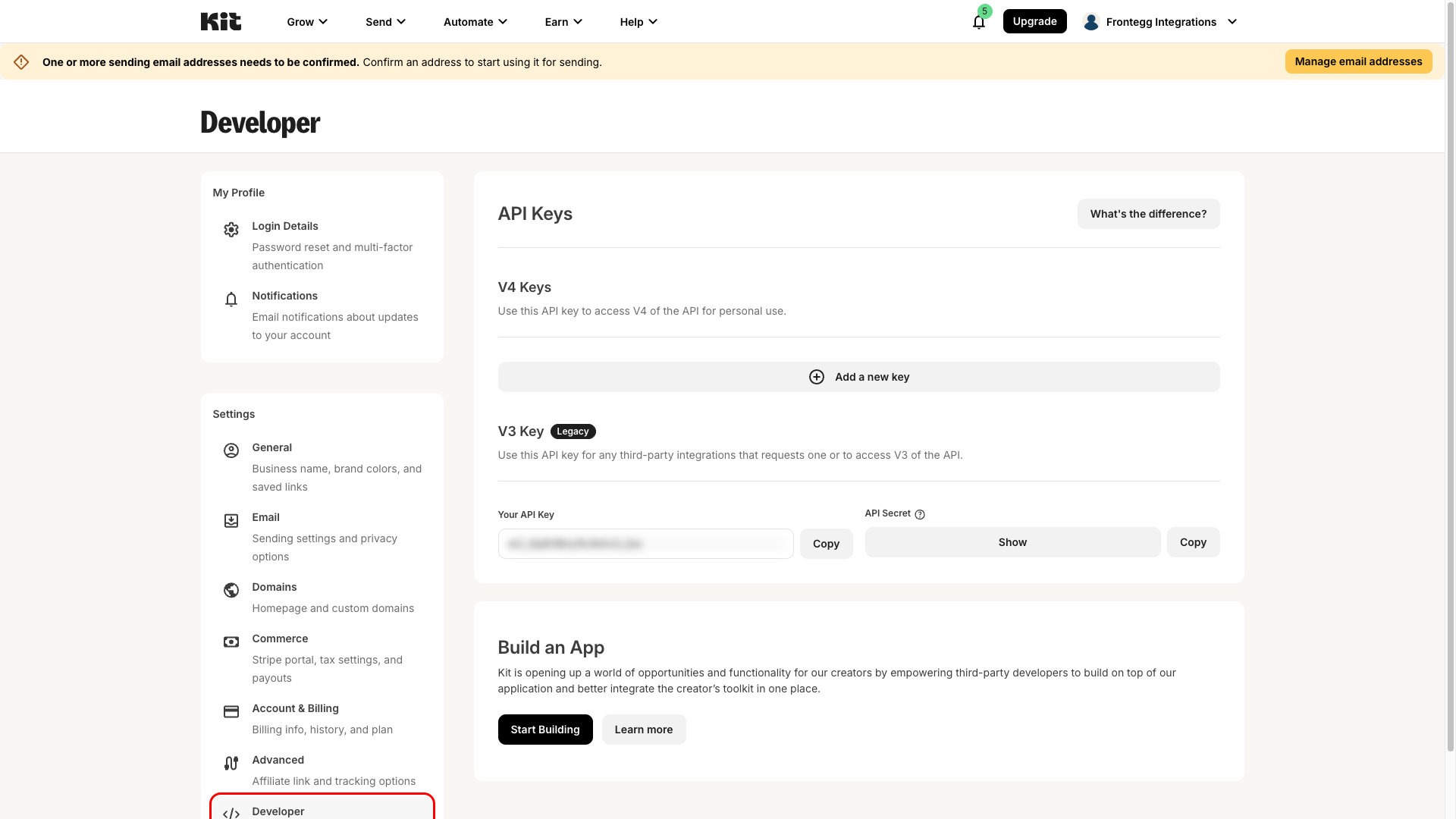
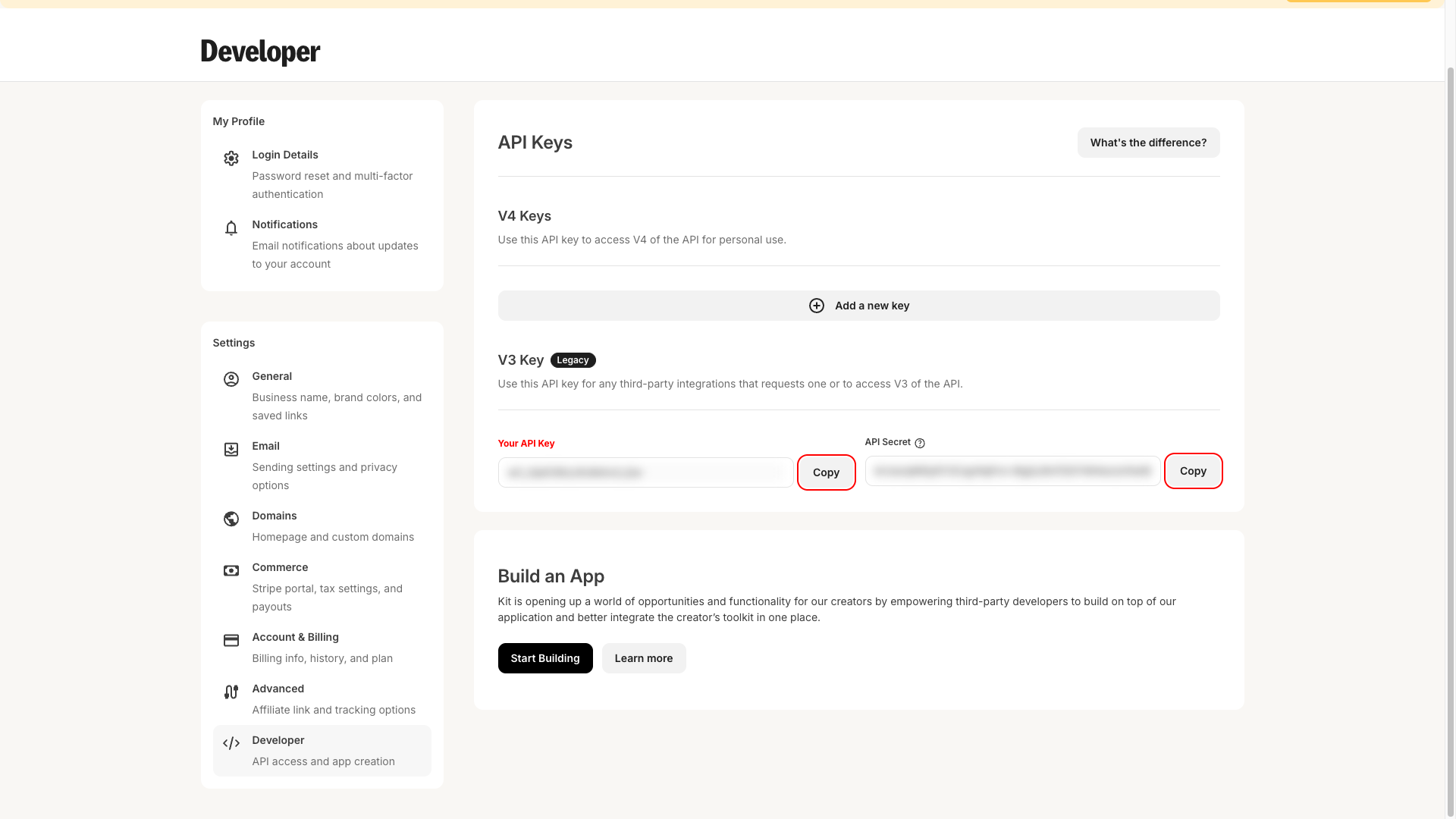
On the Developer page, scroll down to the V3 Key section. You will see two fields:
- Your API Key — used for public API endpoints (listing forms, sequences, tags).
- API Secret — used for sensitive API endpoints (managing subscribers, broadcasts, account info). Click Show to reveal its value.
Click the Copy button next to each field and store both values securely.
Keep your credentials secure
Keep your credentials secure
Your API Secret grants access to sensitive subscriber data. Never share it publicly or commit it to version control.
Once you have your API Key and API Secret from the steps above, enter them in the Frontegg portal:
- Open the Frontegg portal and navigate to [Environment] → Integrations → ConvertKit.
- Enter the API Key and API Secret in the corresponding fields.
- Click Save.