Vimeo is a video hosting, management, and sharing platform. Integrating Vimeo with Frontegg lets your application browse and manage videos, upload and edit content, and read video files on behalf of your users — all through Frontegg's integration layer (Vimeo API 3.4). You can authenticate with either OAuth 2.0 (recommended when connecting on behalf of multiple users) or a Personal Access Token.
Prerequisites
Prerequisites
- A Vimeo account
- Access to the Vimeo developer portal to create an app
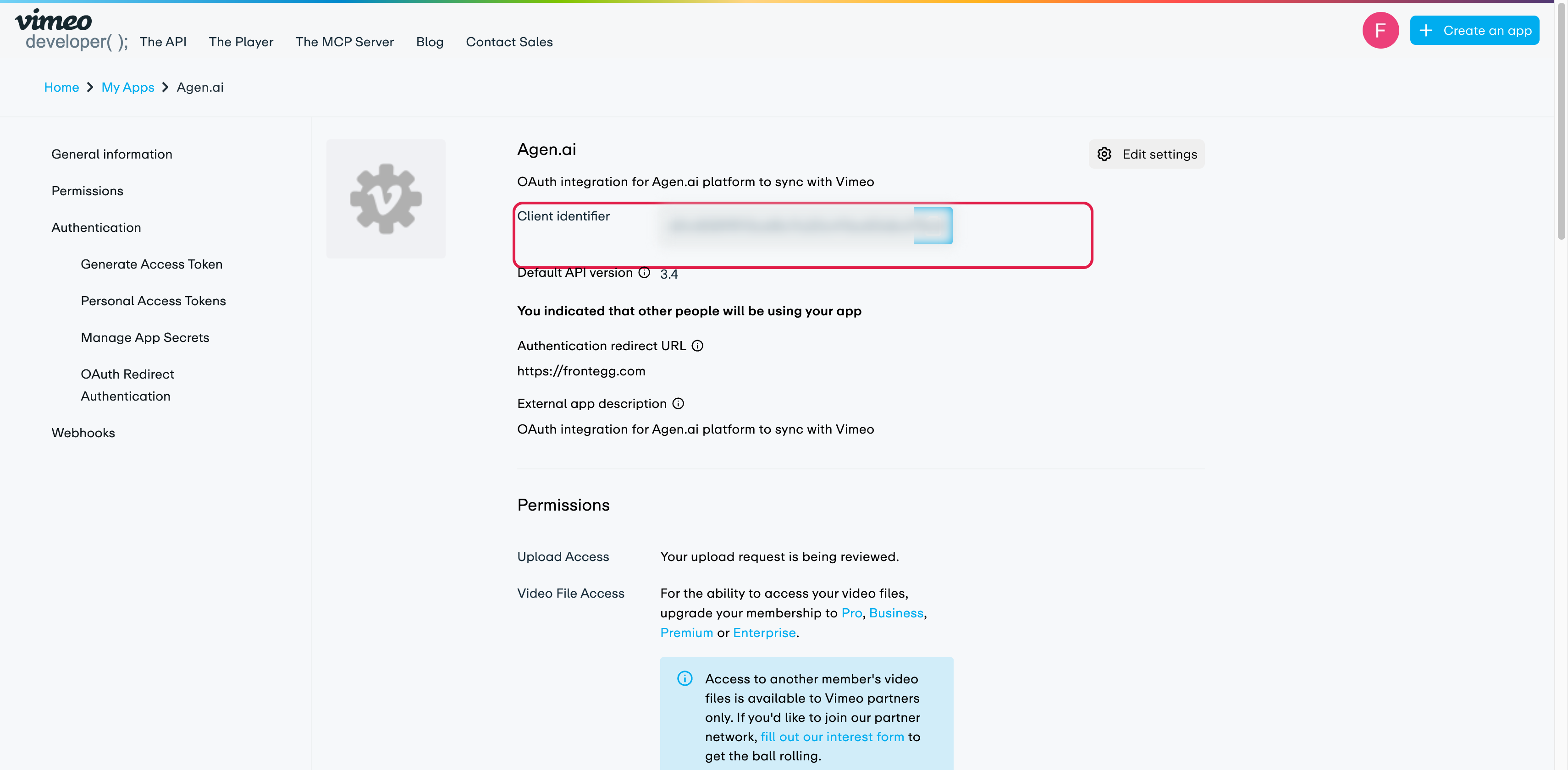
You create an app in the Vimeo developer portal. The app provides the Client ID (client identifier) and a Client Secret, and defines the callback URL that Vimeo returns users to after they authorize access.
Sign in to the Vimeo developer portal and click Create an app. Enter a name (for example, Frontegg Integration) and a description.
On the app page:
- Copy the Client identifier — this is your Client ID.
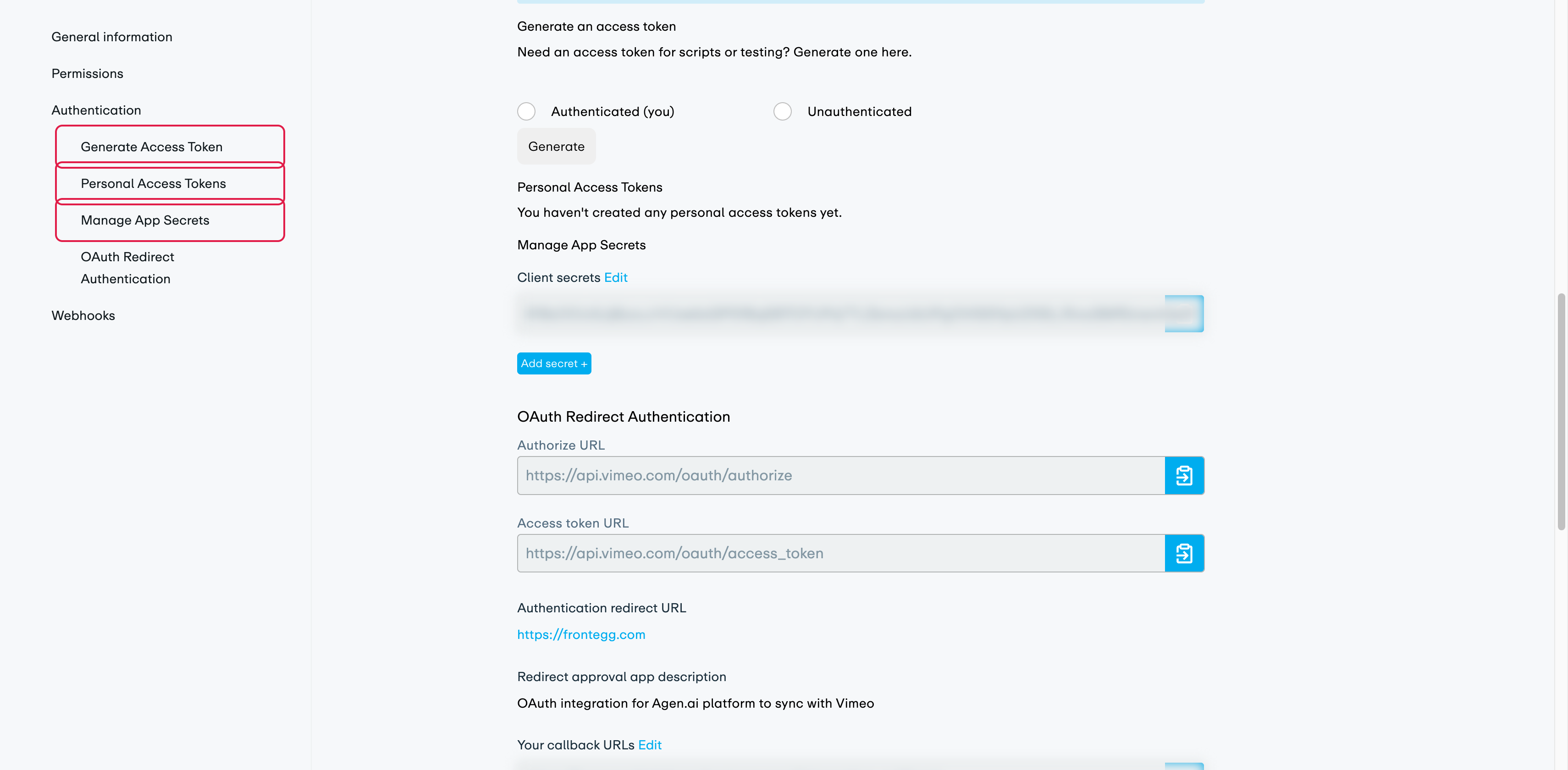
- Under Manage App Secrets, copy a Client secret (or click Add secret to create one).
- Under OAuth Redirect Authentication → Your callback URLs, add your Frontegg Redirect URL:
https://YOUR_MCP_GATEWAY_URL/integration-callback
Keep your Client Secret safe
Keep your Client Secret safe
The Client Secret grants access to your account through the API. Treat it like a password and never expose it in client-side code or commit it to version control.
If you are connecting a single account rather than authorizing multiple users, you can use a Personal Access Token instead of the OAuth flow:
- On the app page, under Generate an access token, select Authenticated (you) and click Generate.
- Copy the token. It carries the scopes granted to the app (set under the app's Permissions).
Configure the integration in the Frontegg portal using the method you chose:
- Open the Frontegg portal and navigate to [ENVIRONMENT] → Integrations → Vimeo.
- For OAuth, enter the Client ID and Client Secret. For a Personal Access Token, enter the token in the Personal Access Token field instead.
- Click Save.
Vimeo uses the following scopes:
| Scope | Description |
|---|---|
public | View public videos |
private | View private videos |
video_files | Access video files |
upload | Upload videos |
edit | Edit videos |
delete | Delete videos |
Keep your credentials secure
Keep your credentials secure
Never share or commit your Client Secret or Personal Access Token to version control.