Hex is a collaborative data workspace for building, sharing, and iterating on analyses, notebooks, and data apps.
It can be connected to Agen.co two ways, matching the Official / In-house filter in the connector picker:
- Official — Agen.co connects through Hex's own hosted MCP server, so your AI agents use the same project-search and Hex Notebook Agent Thread tools Hex exposes to MCP clients like Claude, Cursor, and ChatGPT.
- In-house — Agen.co wraps the Hex API directly through its own integration layer, using a workspace API token.
Pick Official if the built-in MCP tools cover what your agents need. Fall back to In-house if you need broader API coverage, such as managing projects, users, groups, collections, and data connections directly.
Prerequisites
Prerequisites
- A Hex workspace on a Team or Enterprise plan
- Explorer role or higher in the workspace
- In the Agen.co portal, go to Connectors → My connectors and click Add connector.
- In the search bar, type
Hexand select it from the results. - In the Instance Slug field, enter a slug for this connector instance — it prefixes each imported tool as
slug__tool, so a second instance of the same connector needs a slug of its own. Use lowercase kebab-case. You can change it later from the connector's settings. - In Hex domain, select the region your workspace runs on:
app(US —app.hex.tech),eu(EU —eu.hex.tech), orhc(HIPAA —hc.hex.tech). - Click Connect.
- You're redirected to Hex to sign in and approve access. No API token needs to be entered manually.
- Return to Agen.co and click Add below the list of tools that were added.
Once connected, Hex appears under My connectors with tools spanning:
| Area | What it covers |
|---|---|
| Project search | Finding projects in the workspace by query |
| Notebook Agent Threads | Starting new Threads, retrieving Thread messages and results, and adding follow-up questions to existing Threads |
Data connections marked as sensitive in Hex are excluded from MCP access regardless of the tools a policy grants.
Enabling the Hex connector isn't enough on its own. Tool calls remain denied until you create a policy that grants access to the specific tools you want to expose.
Hex is a collaborative data workspace for building, sharing, and iterating on analyses, notebooks, and data apps. The Frontegg integration connects to the Hex API using an API token to manage projects, runs, users, groups, collections, and data connections.
Prerequisites
Prerequisites
- A Hex workspace with Admin access (required to create workspace tokens)
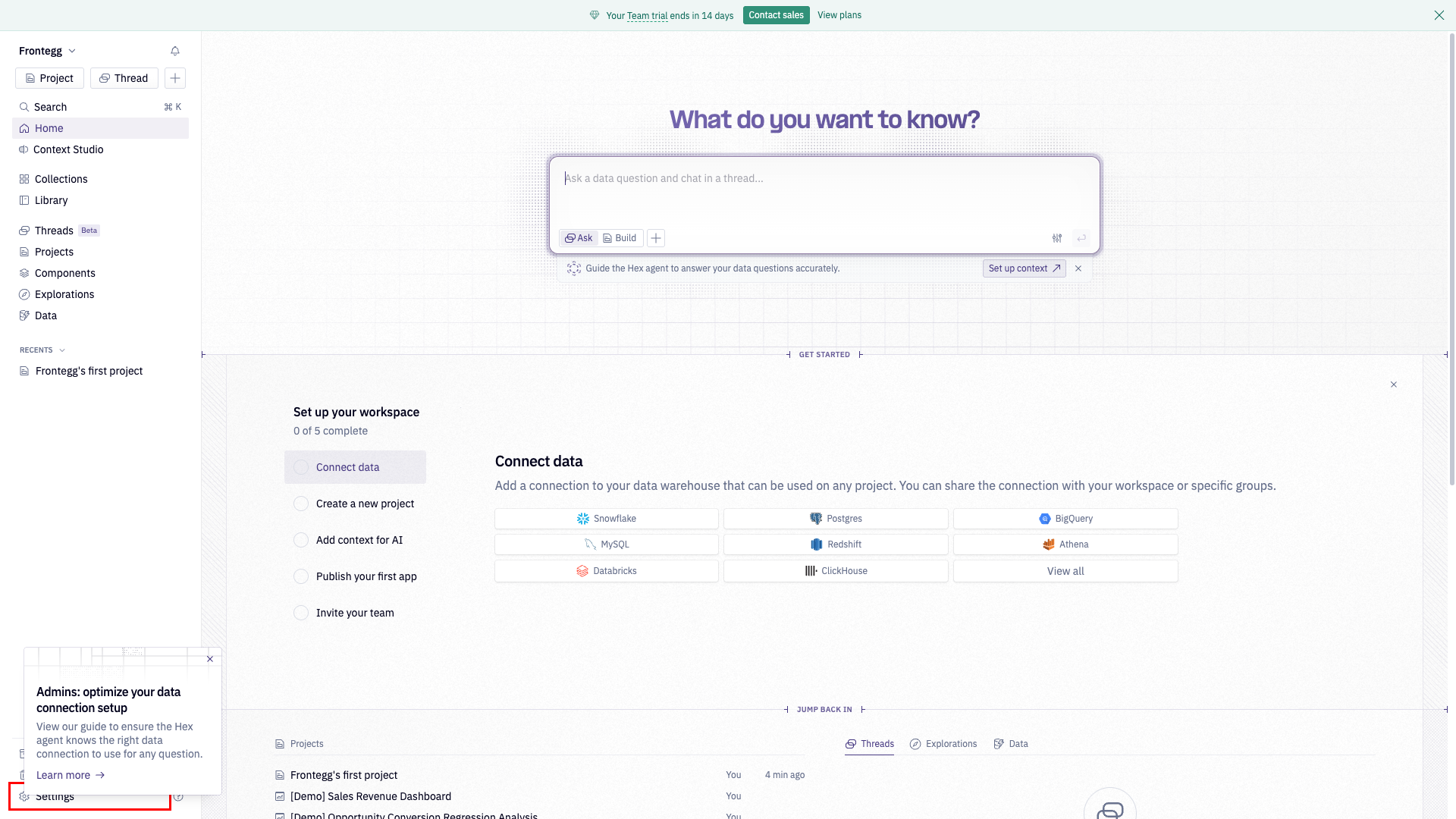
In your Hex workspace, click Settings in the left sidebar.
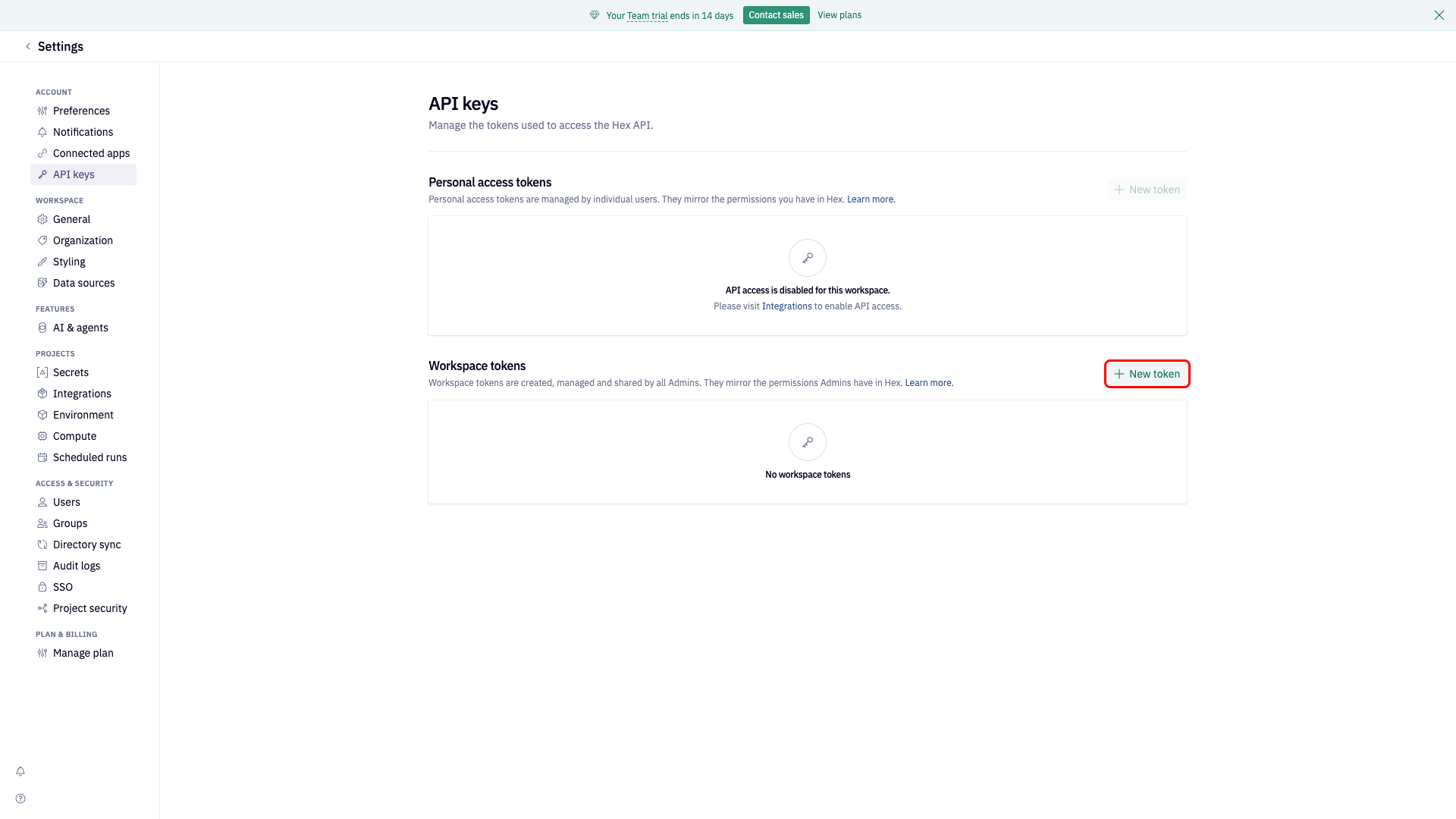
In the Settings panel, select the API keys tab, then click New token under the Workspace tokens section.
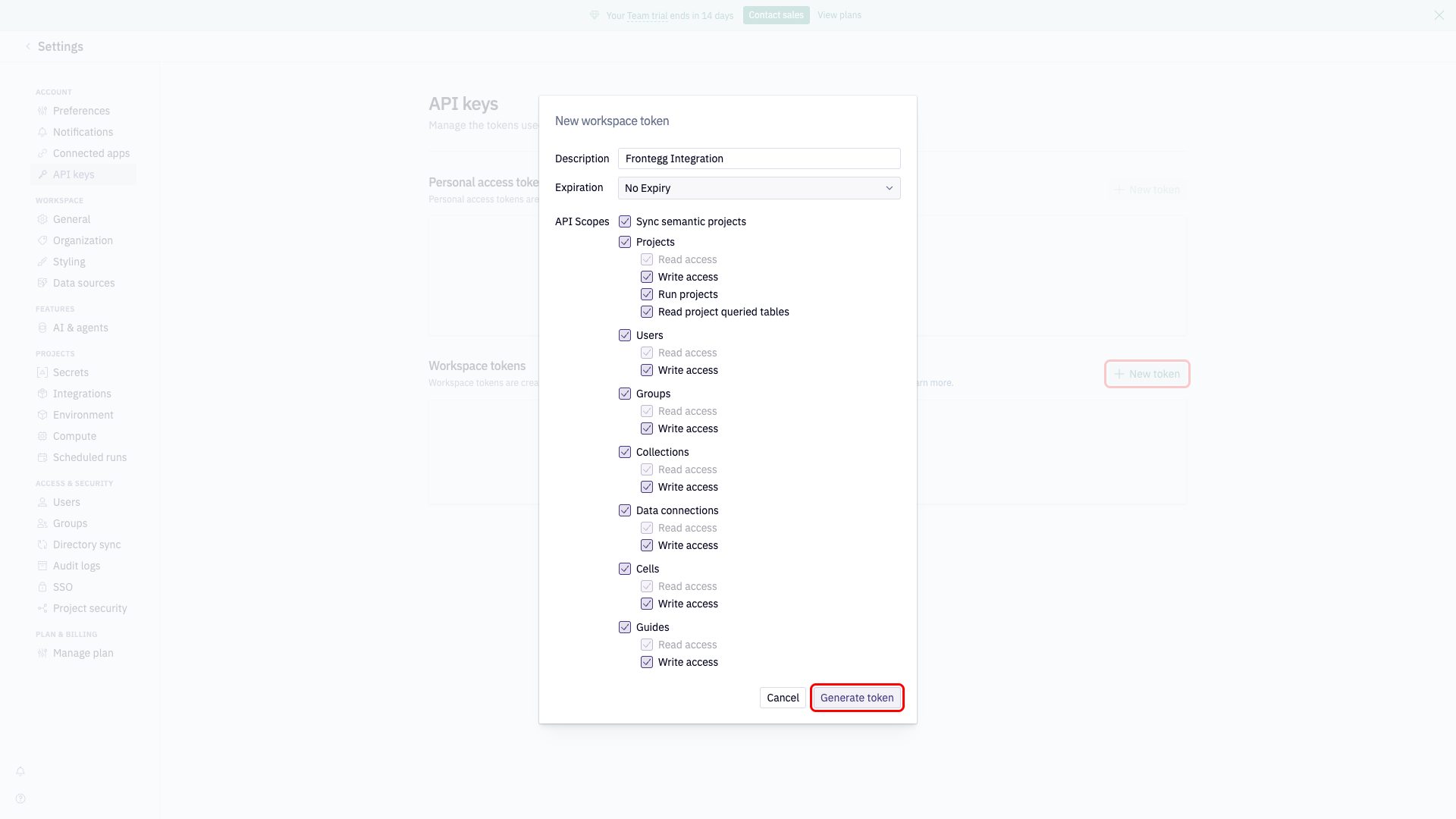
In the New workspace token dialog:
- Enter a Description, for example
Frontegg Integration. - Set Expiration to No Expiry.
- Select the required API scopes:
| Scope | Access required |
|---|---|
| Sync semantic projects | Enabled |
| Projects | Read + Write + Run + Read queried tables |
| Users | Read + Write |
| Groups | Read + Write |
| Collections | Read + Write |
| Data connections | Read + Write |
| Cells | Read + Write |
| Guides | Read + Write |
- Click Generate token.
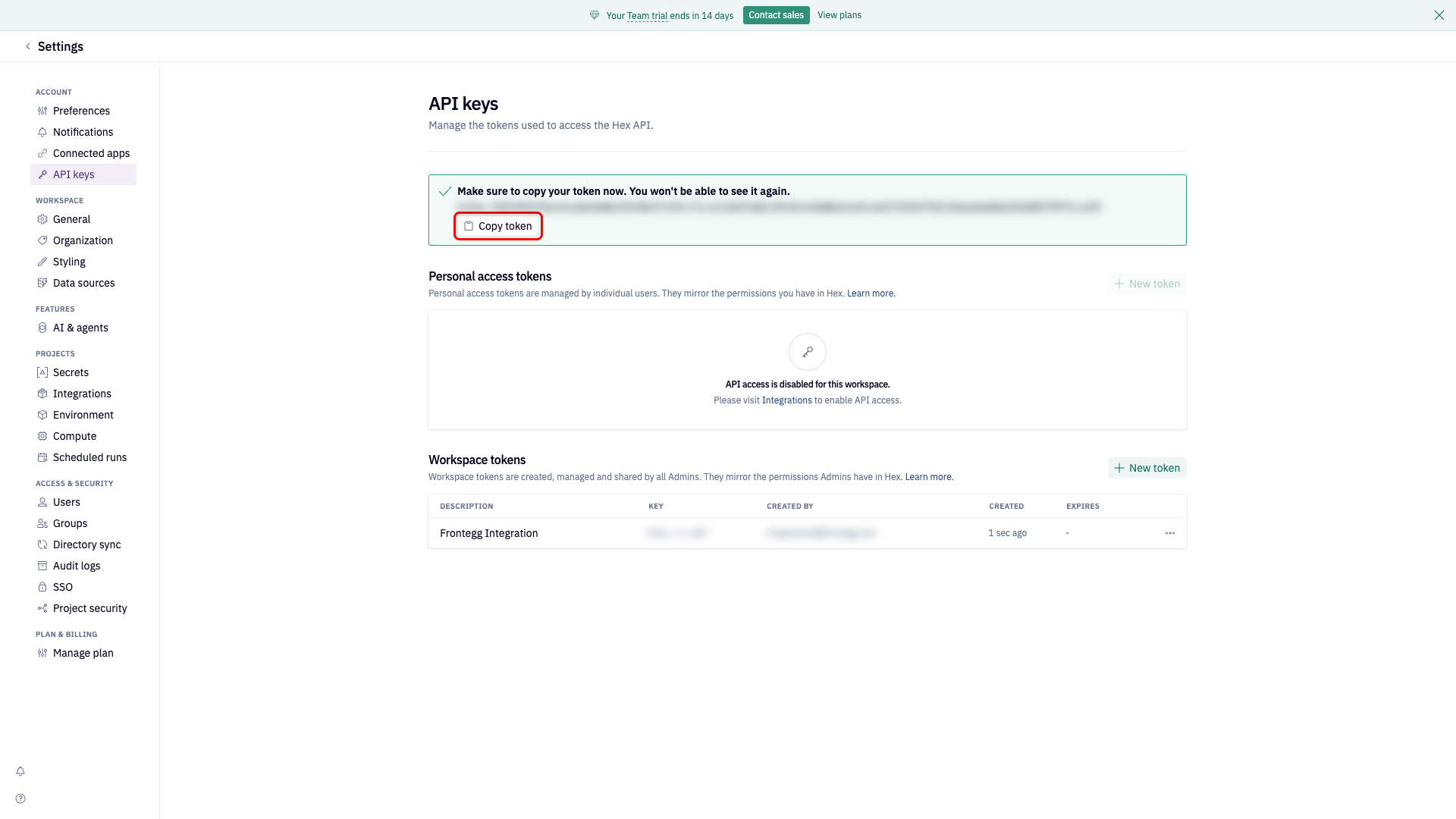
Copy the generated token immediately — it is shown only once and cannot be retrieved later.
Once you have your API token, enter it in the Frontegg portal:
- Open the Frontegg portal and navigate to [ENVIRONMENT] → Integrations → Hex.
- Enter the API Key you copied in the previous step.
- Click Save.
Keep your token secure
Keep your token secure
Never share or commit your API token to version control. If a token is compromised, revoke it from Settings → API keys and generate a new one.