Integrating Discord with Frontegg allows your application to access user profiles, manage guild (server) memberships, read and send messages, and manage webhooks — all through Frontegg's integration layer using Discord OAuth 2.0.
Prerequisites
Prerequisites
- A Discord account
- Access to the Discord Developer Portal
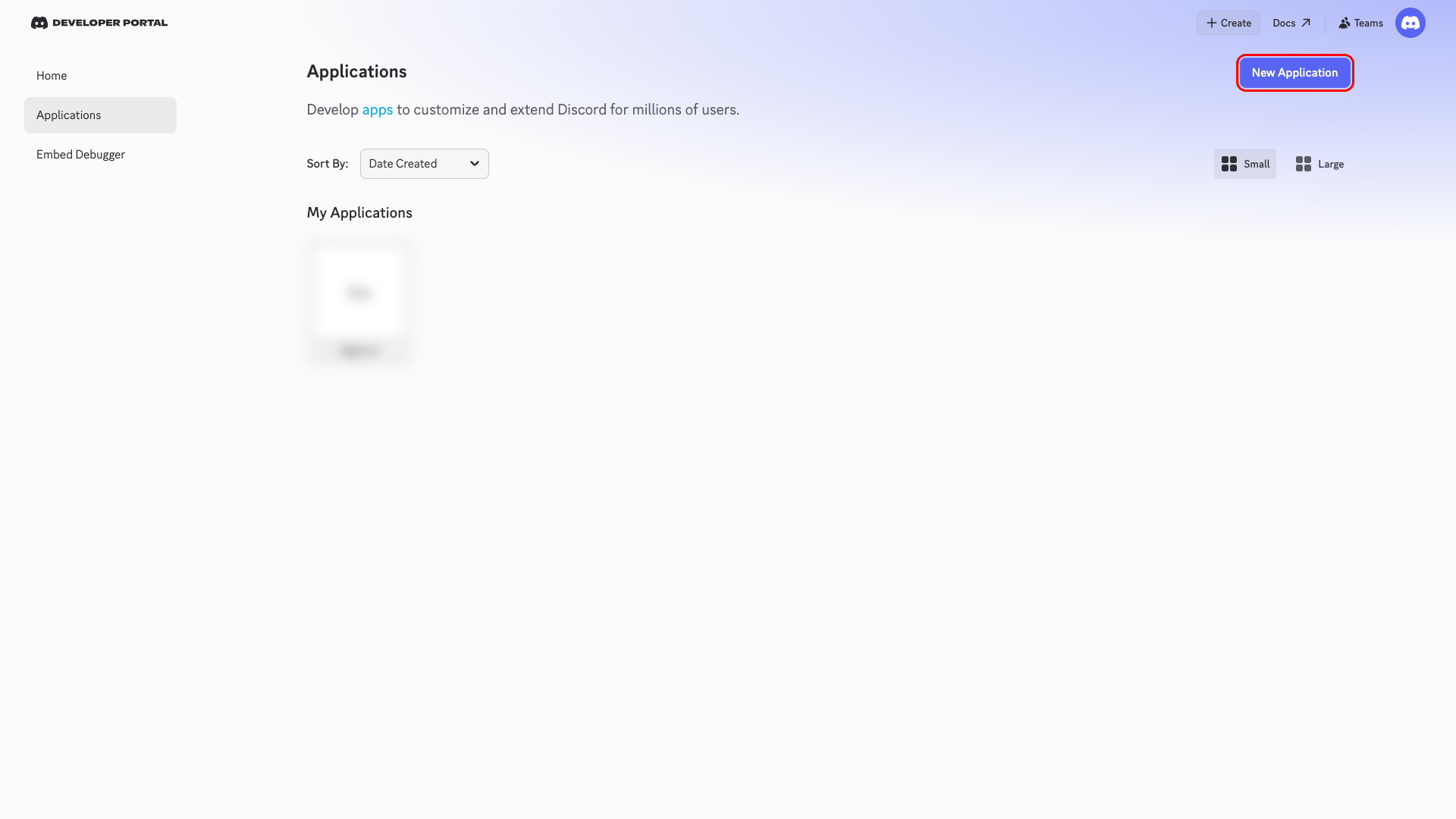
Go to the Discord Developer Portal and sign in with your Discord account. On the Applications page, click New Application.
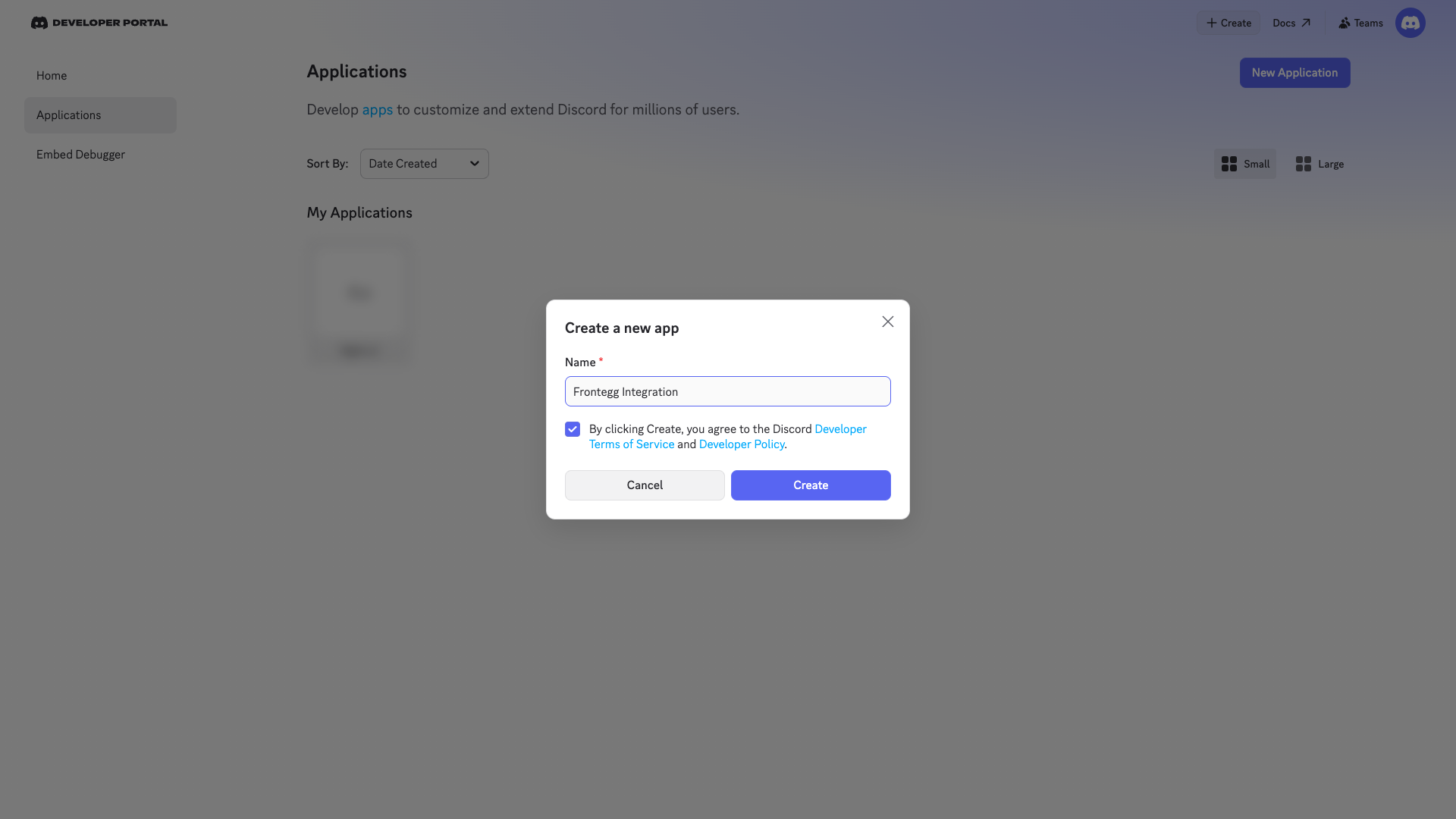
In the Create a new app dialog, enter a name for your application (for example, Frontegg Integration). Check the box to agree to the Developer Terms of Service and Developer Policy, then click Create.
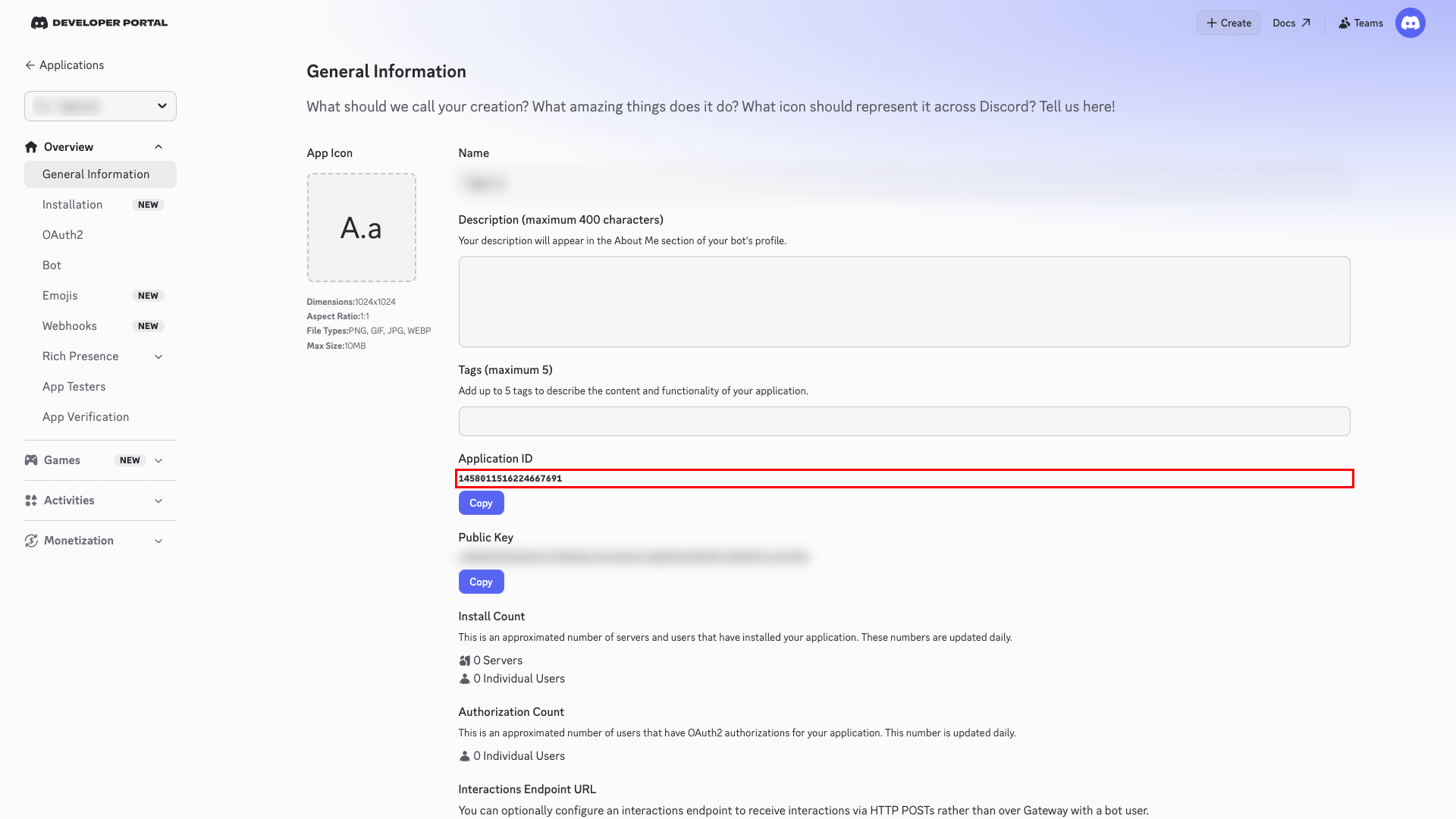
After creating the application, you are redirected to the General Information page. Here you can see your Application ID and configure other settings.
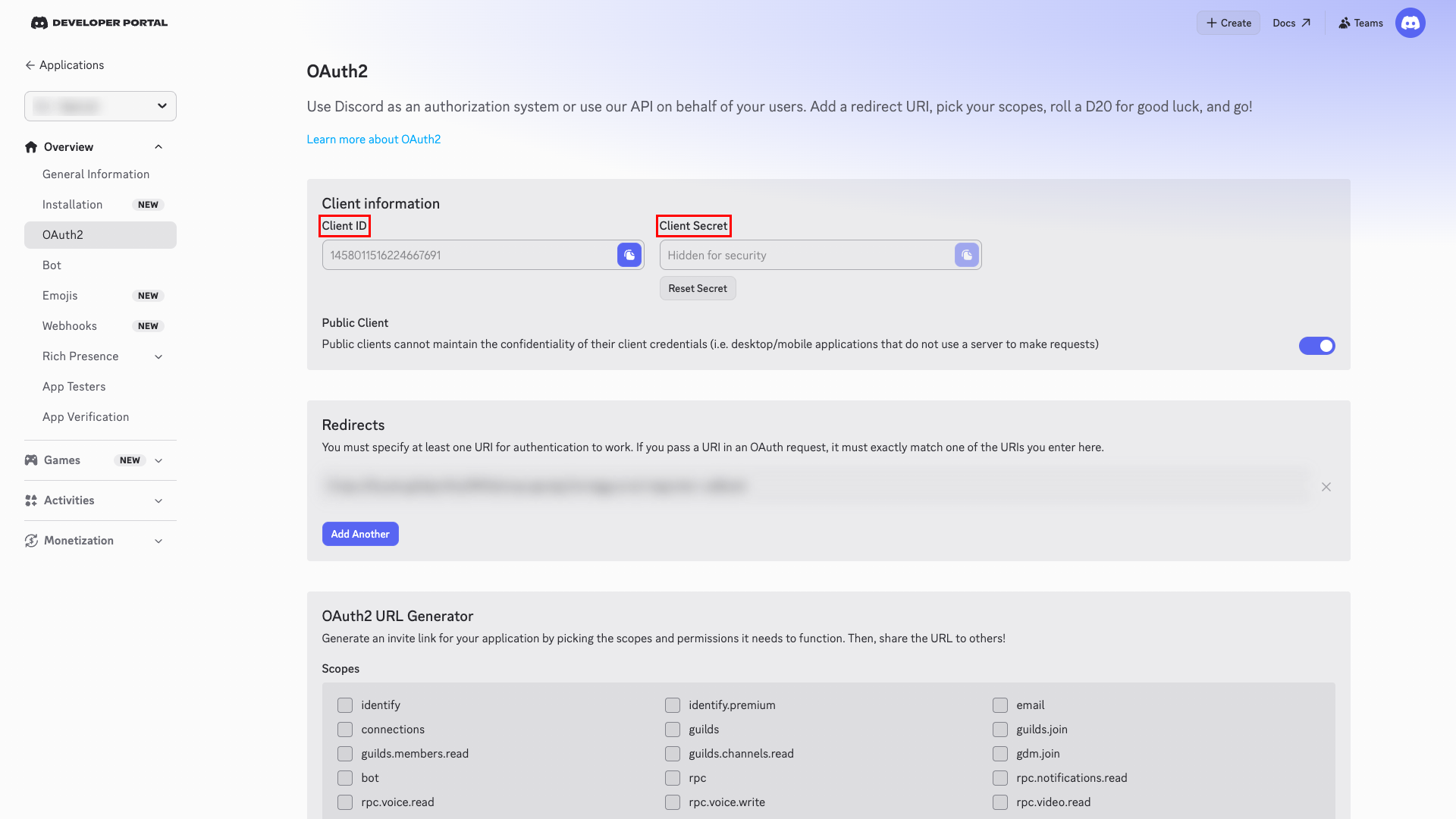
In the left sidebar, click OAuth2. On this page, you can find your Client ID and Client Secret.
- Copy the Client ID — it is displayed directly on the page.
- To get the Client Secret, click Reset Secret and copy the generated value.
Save your Client Secret
Save your Client Secret
Store the Client Secret securely. If you lose it, you will need to reset it, which invalidates the previous secret.
Scroll down to the Redirects section. Click Add Another and enter the following redirect URIs:
https://YOUR_MCP_GATEWAY_URL/integration-callback
Click Save Changes.
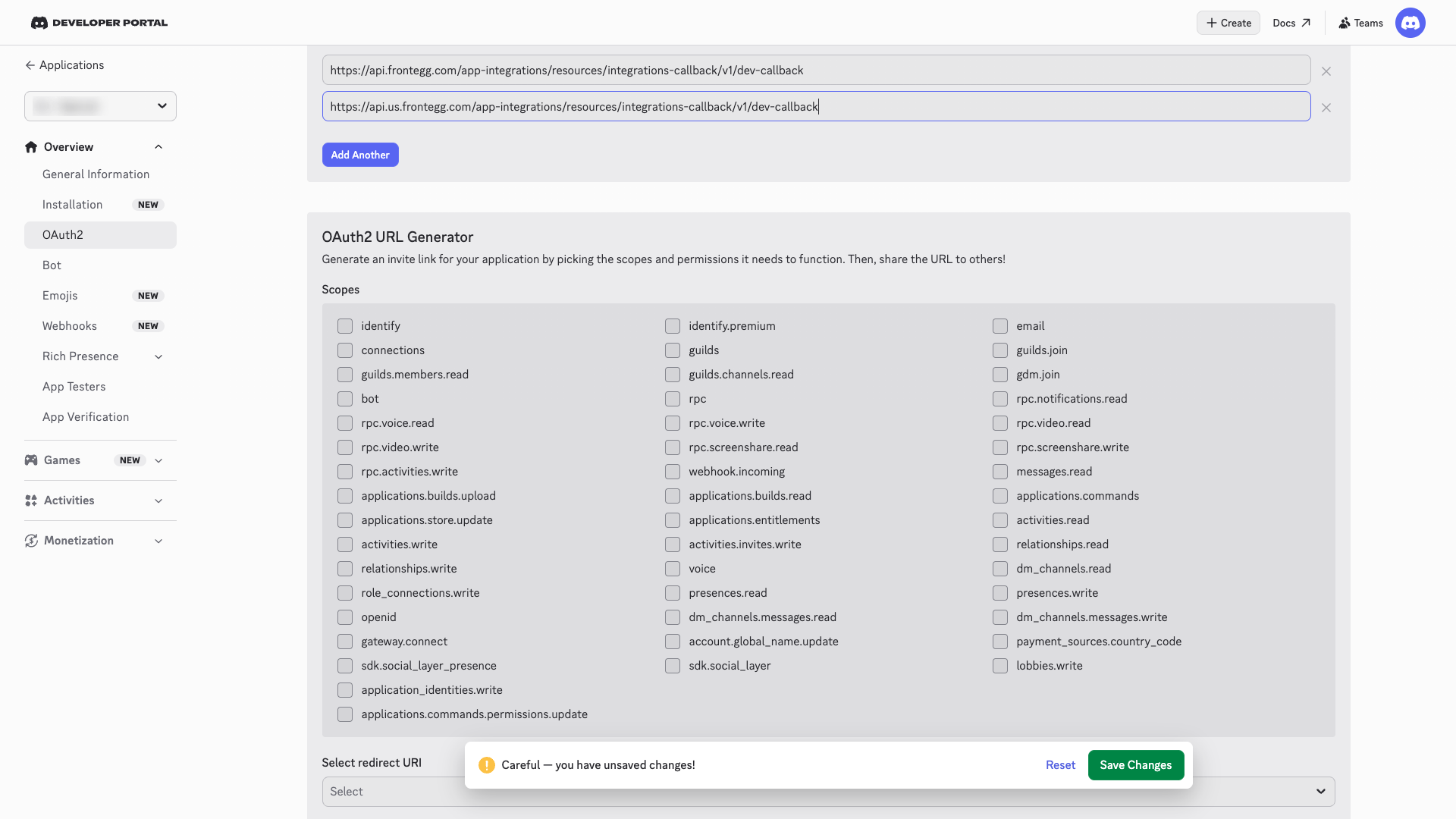
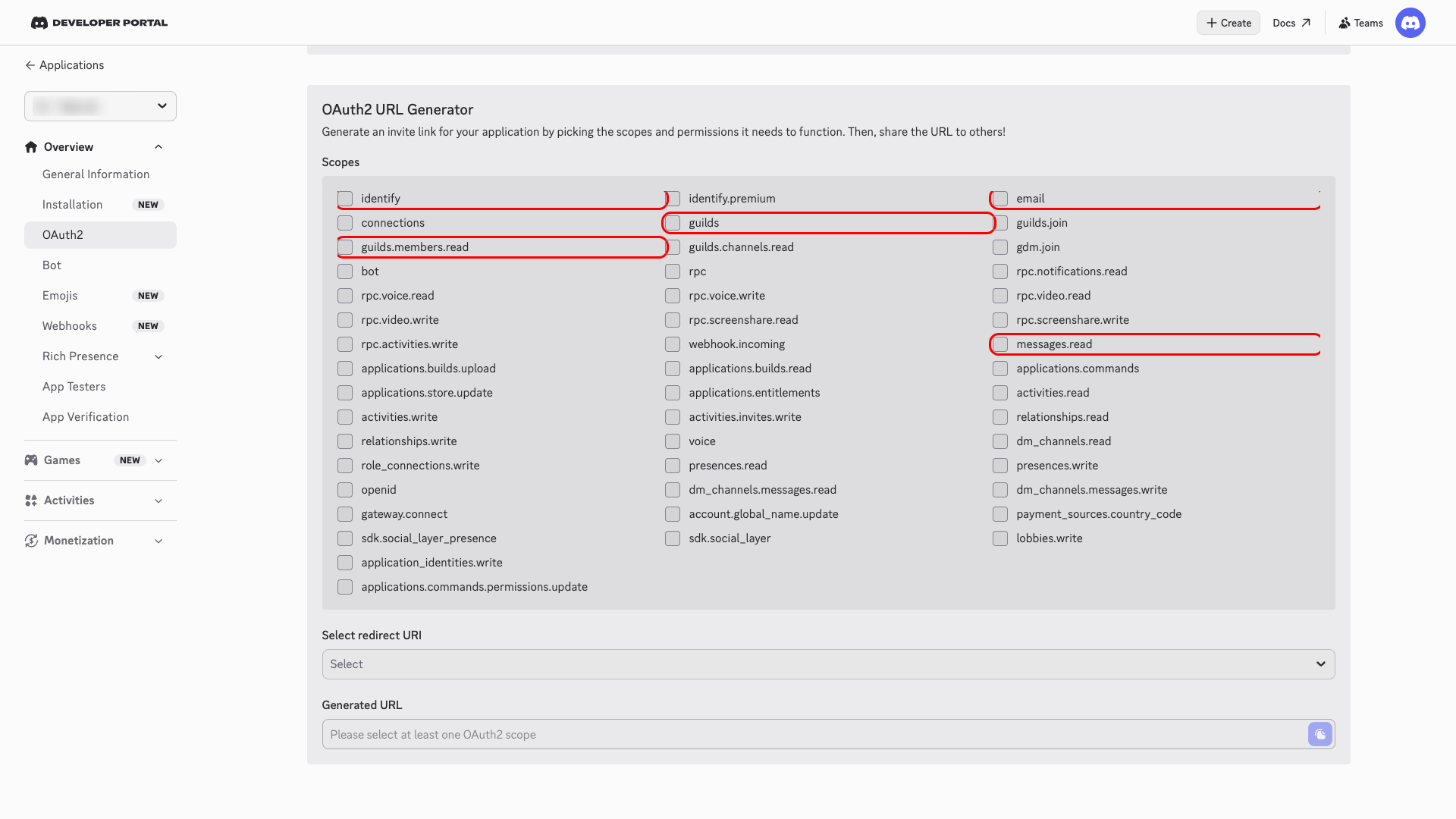
Scroll down to the OAuth2 URL Generator section to see the list of available scopes. Discord does not require pre-selecting scopes in the developer portal — scopes are requested at authorization time and configured in the Frontegg portal.
The following scopes are available for the Discord integration:
| Scope | Description |
|---|---|
identify | Access user profile information |
email | Access user email address |
guilds | List user guilds (servers) |
guilds.members.read | Read guild member information |
messages.read | Read messages in channels |
connections | Access user connections |
bot | Create and manage bot actions |
webhook.incoming | Create and manage webhooks |
Minimum required scopes
Minimum required scopes
For basic functionality, you need: identify, email, guilds.
Once you have obtained your Client ID and Client Secret from the steps above, enter them in the integration configuration page of the Frontegg portal:
- Open the Frontegg portal and navigate to Environment → Integrations → Discord.
- Enter the Client ID and Client Secret in the corresponding fields.
- Select the required scopes.
- Click Save.
Keep your credentials secure
Keep your credentials secure
Never share or commit your Client Secret to version control.