Contentful is a headless content management system (CMS) that stores and delivers structured content through APIs. Integrating Contentful with Frontegg lets your application manage entries, content types, assets, and other resources on behalf of your users — all through Frontegg's integration layer. Contentful authenticates with OAuth 2.0 (Authorization Code flow), so you register an OAuth application in your Contentful account to obtain a Client ID and Client Secret.
Prerequisites
Prerequisites
- A Contentful account
- Access to your account's OAuth applications settings
You register an OAuth 2.0 application in the Contentful web app. The application provides the Client ID and Client Secret and defines the Redirect URI that Contentful returns users to after they authorize access.
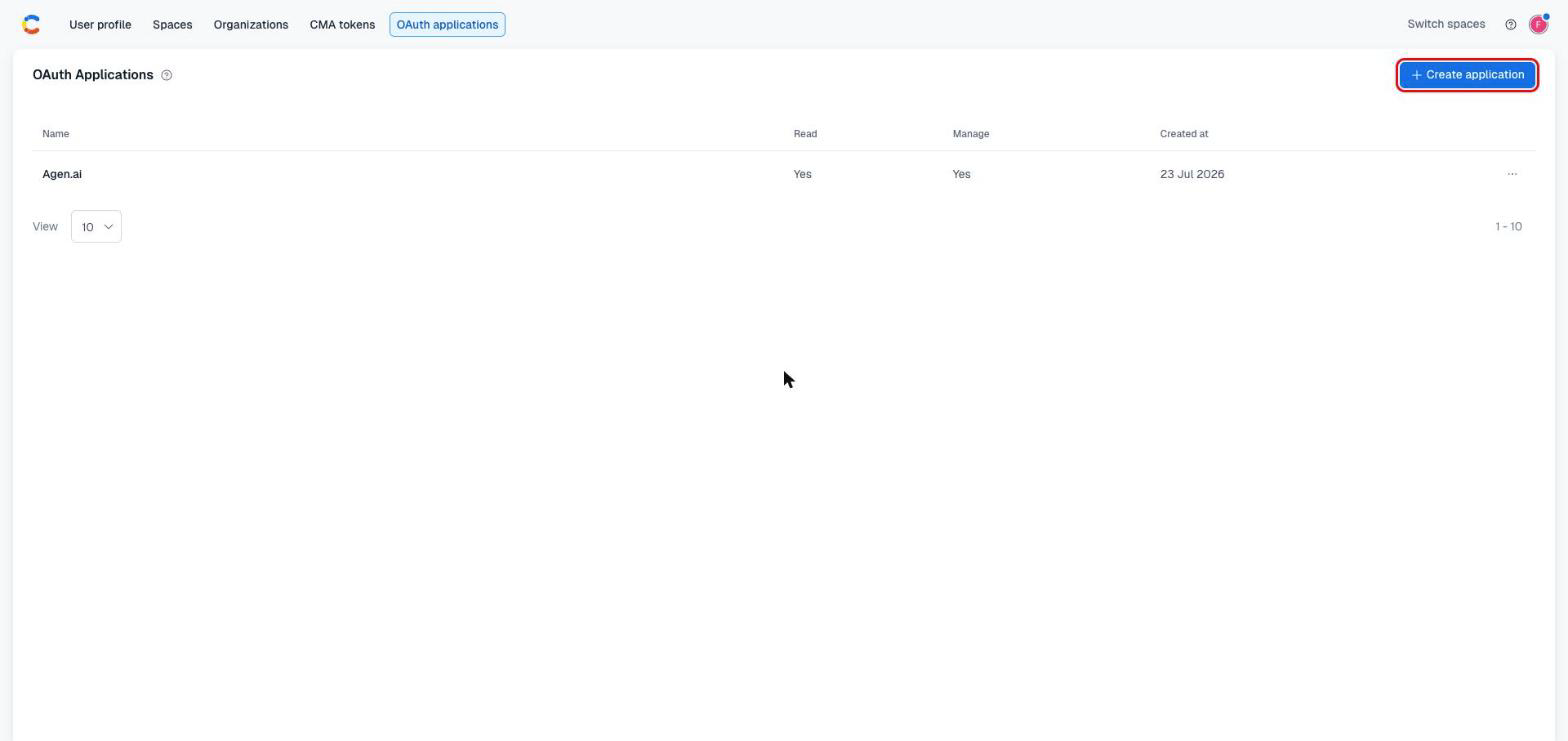
Sign in to Contentful and open OAuth applications (under your account's developer settings). Click Create application.
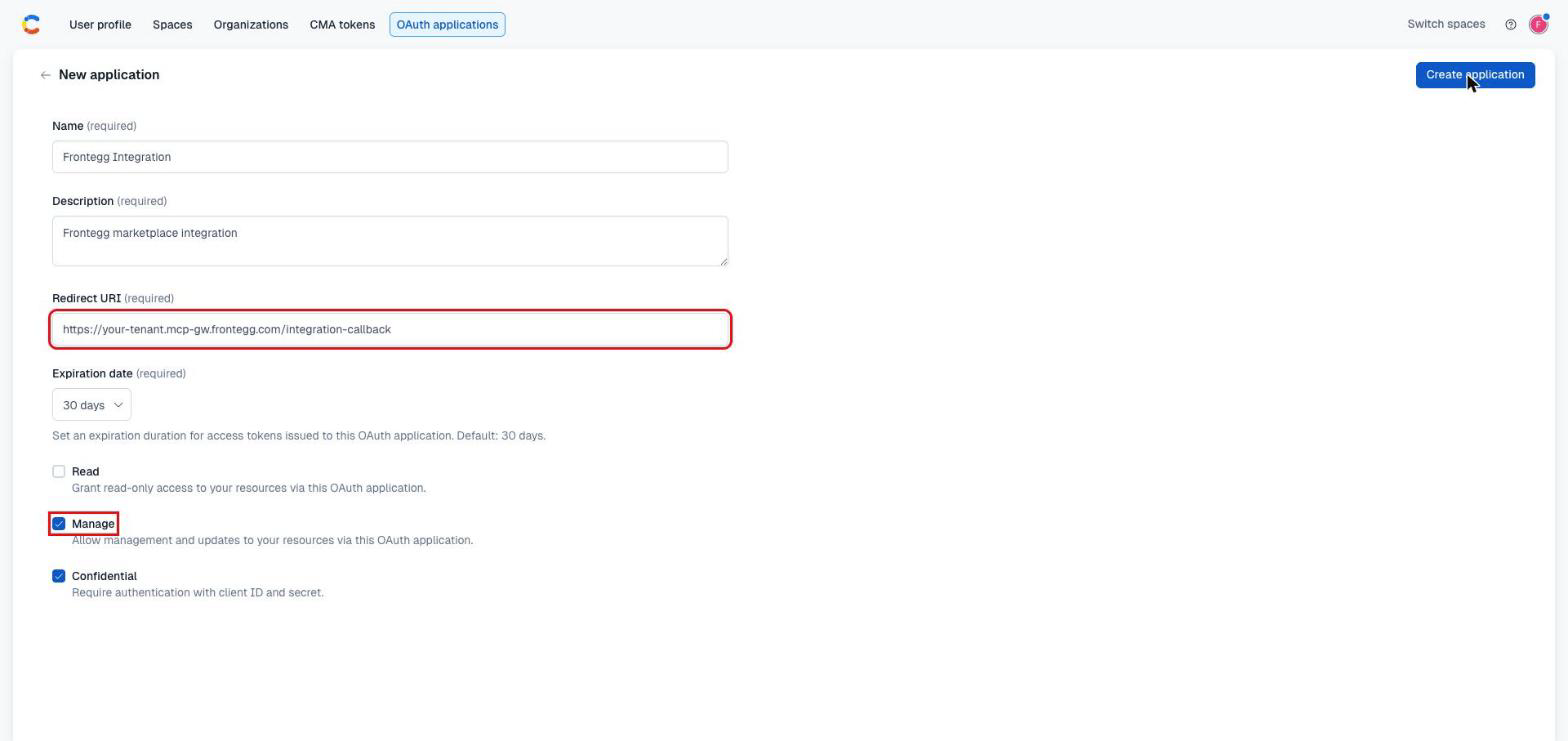
Complete the New application form:
- Name — A descriptive name, for example
Frontegg Integration. - Description — A short description of the application.
- Redirect URI — Your Frontegg Redirect URL:
https://YOUR_MCP_GATEWAY_URL/integration-callback - Expiration date — The lifetime of access tokens issued to the application. Choose a duration that suits your integration.
- Manage — Enable Manage to grant read and write access to content. Keep Confidential selected so the app authenticates with a Client ID and Client Secret.
Click Create application.
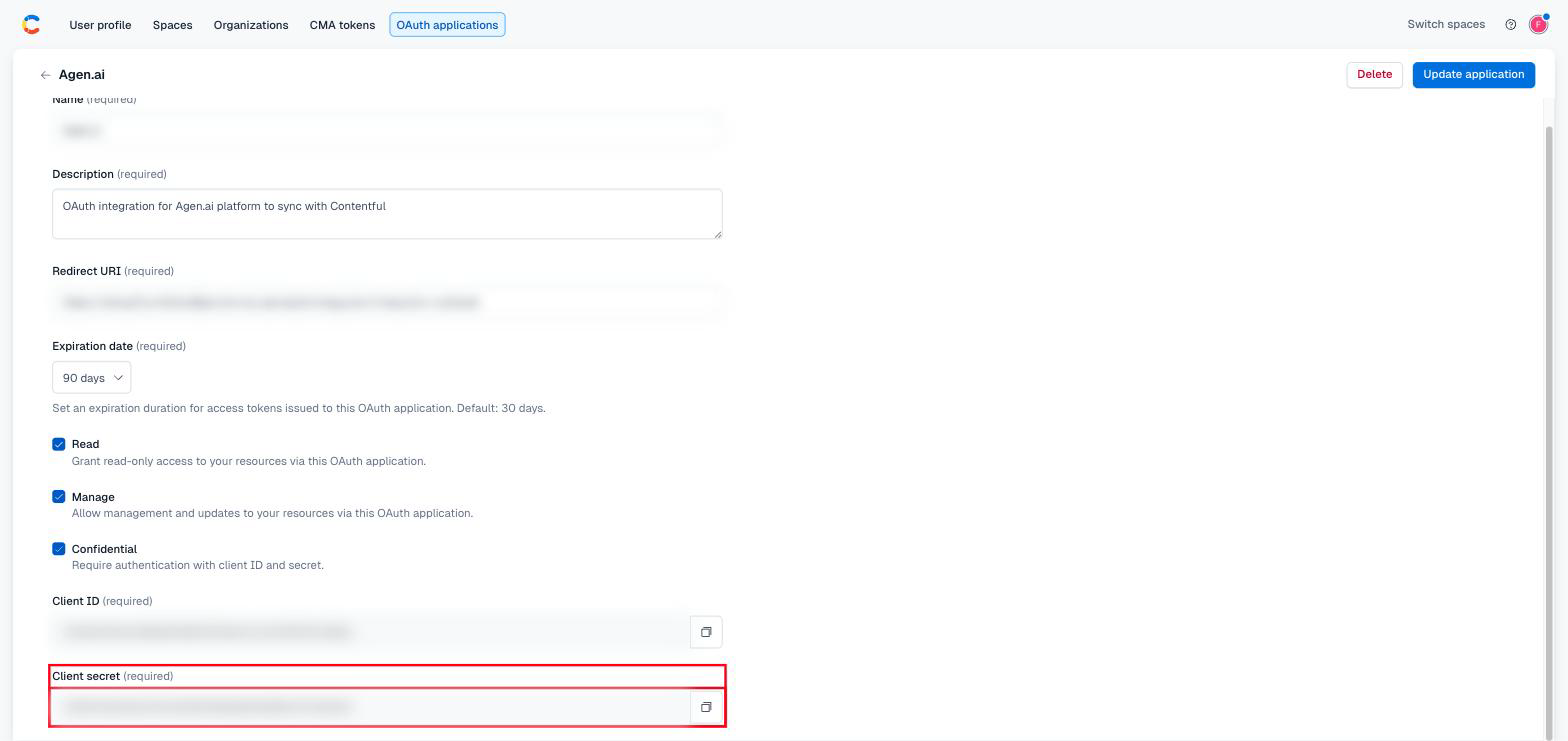
Open the application. Contentful displays the Client ID and Client Secret. Copy both values.
Keep your Client Secret safe
Keep your Client Secret safe
The Client Secret grants access to your account through the API. Treat it like a password and never expose it in client-side code or commit it to version control.
Once you have your Client ID and Client Secret, configure the integration in the Frontegg portal:
- Open the Frontegg portal and navigate to [ENVIRONMENT] → Integrations → Contentful.
- Enter the Client ID and the Client Secret.
- Click Save.
Frontegg requests the following scope during authorization:
| Scope | Description |
|---|---|
content_management_manage | Full access to manage content |
Keep your credentials secure
Keep your credentials secure
Never share or commit your Client Secret to version control.