Sanity is a headless content platform with a structured content lake and a real-time editing environment. Integrating Sanity with Frontegg lets your application read and write documents, run GROQ queries, publish and schedule content releases, browse earlier document revisions, and manage datasets and assets on behalf of your users — all through Frontegg's integration layer. You can authenticate with either a Sanity project API token (recommended and self-serve) or OAuth 2.0.
Prerequisites
Prerequisites
- A Sanity account with a project
- Access to your project's API → Tokens page in Sanity Manage
Sanity authenticates API requests with a project token, sent on every request as the Authorization: Bearer <token> header. You create the token in Sanity Manage and choose its permission level.
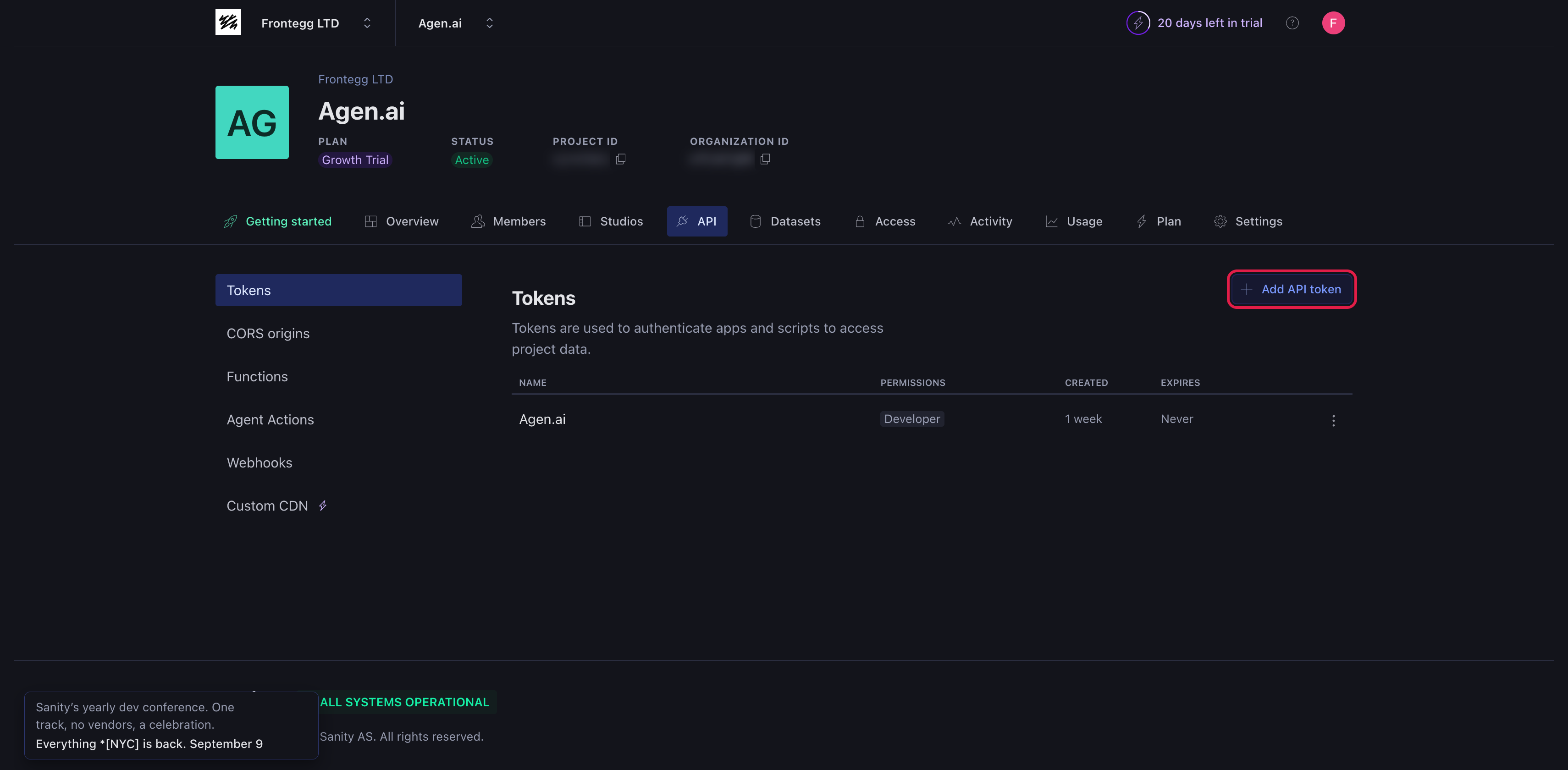
Sign in to Sanity Manage, open your project, and go to the API tab → Tokens. Click Add API token.
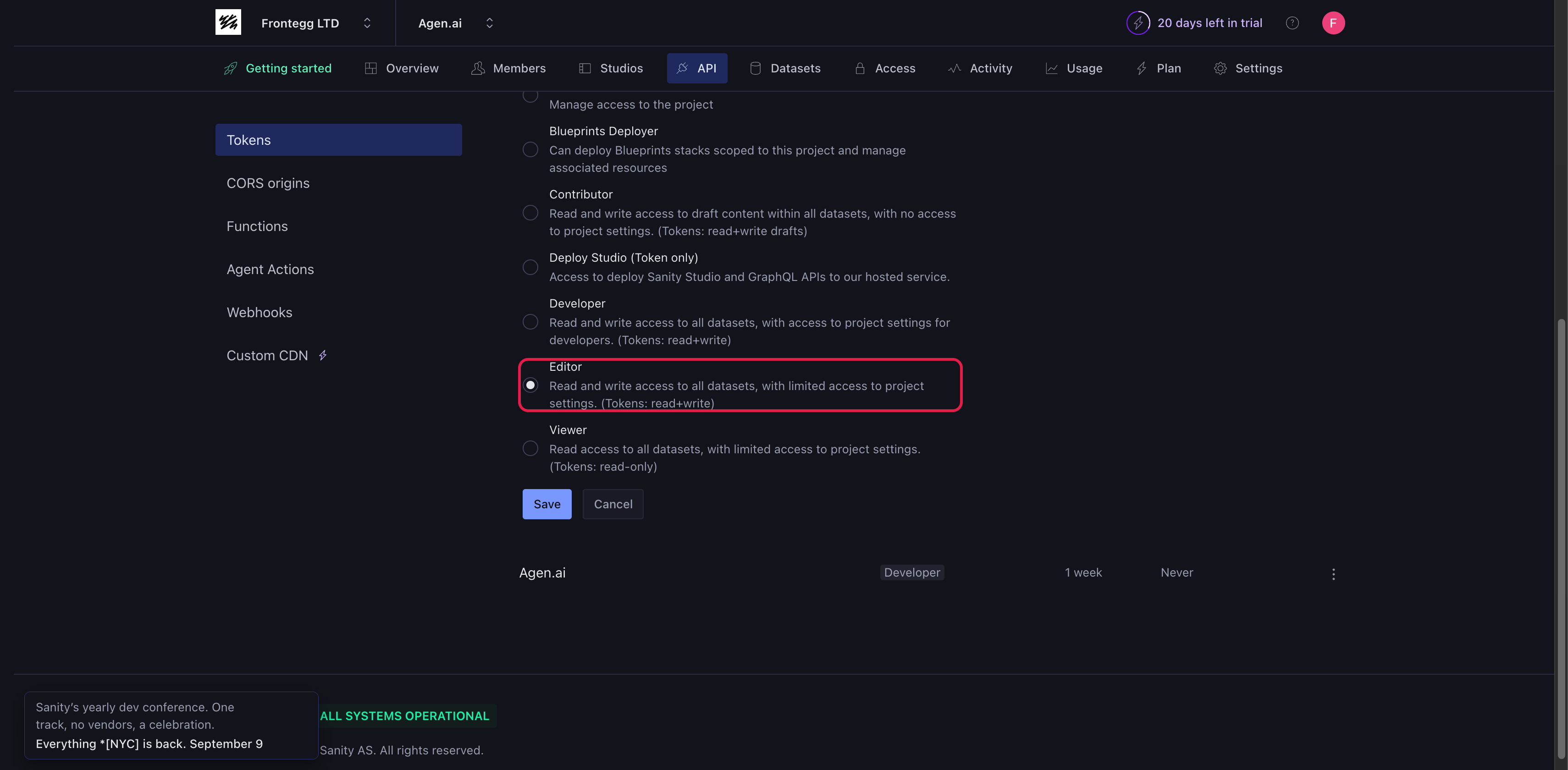
Fill in the token details:
- Name — A descriptive name, for example
Frontegg Integration. - Permissions — Choose a role that matches the access you need. Editor or Developer grant read and write access (
read+write); Viewer is read-only.
Click Save and copy the token value.
Copy your token now
Copy your token now
The token value is shown only once, when it is created. Copy it immediately and store it securely — treat it like a password. If it is exposed or lost, delete it and create a new one on the same Tokens page.
Sanity's OAuth 2.0 is not self-serve — credentials are issued manually and only to Sanity technology partners. If Sanity has already issued you a Client ID and Client Secret, enter those instead of a project token. Everyone else should use the API token flow above. For the OAuth flow you also need your Frontegg Redirect URL — see How to get your Redirect URL.
Configure the integration in the Frontegg portal using the method you chose:
- Open the Frontegg portal and navigate to [ENVIRONMENT] → Integrations → Sanity.
- For an API token, paste it into the API Token field. For OAuth, enter the Client ID and Client Secret instead.
- Click Save.
You configure the credential only — the project and dataset are supplied per request, so a single integration can reach every project the token has access to.
The token or OAuth grant provides the following access:
| Scope | Description |
|---|---|
read | Read access to content |
write | Write access to content |
Keep your credentials secure
Keep your credentials secure
Never share or commit your API token or Client Secret to version control.