Password breaches have become a prevalent threat to online security, and apps, including yours, must take proactive measures to safeguard their users' sensitive information. Ideally, you want all your users to have fresh, unique passwords that haven’t been hacked. This is difficult, but Frontegg makes it easy. This guide will tell you about Frontegg’s breached password detection and how to configure it.
The breached password engine scans user passwords during the sign-up and login process and compares them to databases of known breached passwords. This is all done without exposing passwords.
If a match is found, appropriate actions can be taken, such as requiring the user to reset their password or implementing additional security measures.
Prerequisites
Prerequisites
The following versions are required to use this feature:
@frontegg/react@6.0.4
@frontegg/angular@6.4.0
@frontegg/vue@3.0.4
@frontegg/nextjs@8.0.4
Breached password protection is off by default for every environment. An account admin has to explicitly turn it on as part of the password policy before Frontegg starts checking passwords against known breaches.
Once enabled, each password submission triggers a live check against a third-party database of known breached passwords, at the following points:
| Flow | Availability |
|---|---|
| Sign-up | All plans |
| Password change | All plans |
| Password reset | All plans |
| Login | Higher-tier plans only |
Frontegg doesn't store or sync its own copy of breached passwords — it relies on a third-party breached-password database directly, via a live lookup on every check. The password is hashed locally, and only a small portion of that hash is sent for lookup; Frontegg then matches the returned candidates locally to determine whether the full password has appeared in a breach. This privacy-preserving approach means the full password, and even the full hash, is never transmitted or exposed.
Login-time detection is a higher-tier capability
Login-time detection is a higher-tier capability
Checking passwords for breaches at login, in addition to sign-up, password change, and password reset, is available only on higher-tier plans. On the base tier, breached passwords are only detected when a password is created or changed.
When a breached password is detected during sign-up, password change, or password reset, the request is rejected with an error informing the user that their password has been found in a known data breach and asking them to choose a different one.
When a breached password is detected at login (higher-tier plans only), Frontegg can lock the account or force a step-up MFA challenge, depending on the configured severity → see the Configuring breached password section below for the available actions.
In either case, whenever a breach is detected, the affected user is notified by email.
Good to know
Good to know
You only need to use breached password protection if you use passwords as one of your authentication strategies.
All you need to do is choose what should happen when a breached password is detected: Allow, Challenge, or Block.
See the next section to learn more about how user experiences will be affected by each action.
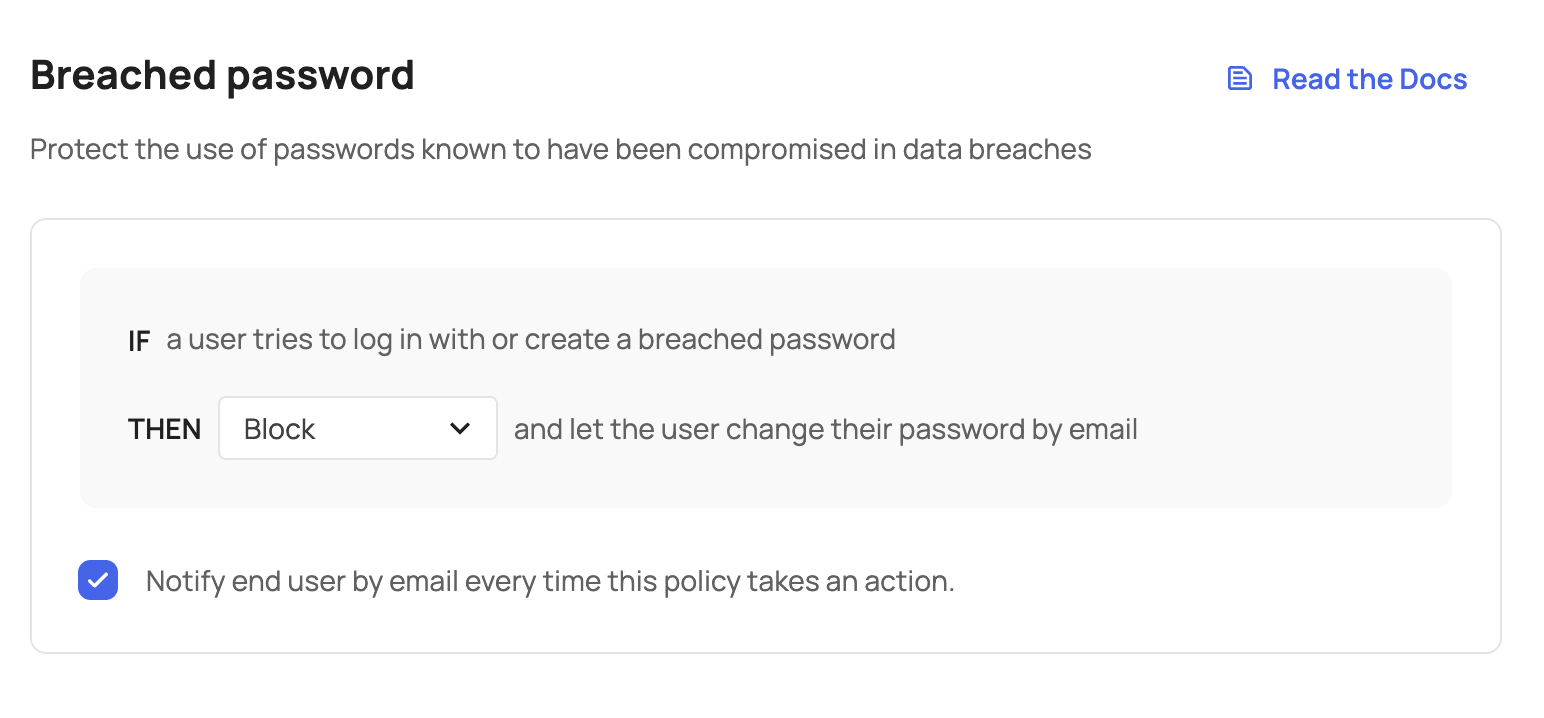
Frontegg checks if passwords are breached in two different flows:
- Password use - e.g., during login
- Password creation - e.g., during signup or password changes
You can choose if users can use/create breached passwords or not by selecting one of the actions below:
| Action | User experience on login | User experience on password creation (signup or changing password) |
|---|---|---|
| Allow | 1. User continues to the app | User is allowed to create a password that is breached (e.g., 123456) |
| Challenge | 1. User must complete an MFA challenge 2. User continues to the app | User is not allowed to create a password that is breached |
| Block | 1. User sees a screen indicating that their password is breached and must reset it 2. User goes to their email to click a reset link | User is not allowed to create a password that is breached |
Notify end users of breached passwords
Notify end users of breached passwords
In addition to the alert that informs users that their password is breached, you can also notify them by email.
You can add rule overrides to force Allow, Challenge, or Block for specific users or tenants when a breached password is detected — without changing the global rule action.
If you’re curious how often breached password events occur in your app, you can view them over time in Security Events to see when and where they happened.