Frontegg provides 9 built-in security defenses, each configurable with different actions when triggered. For example, you can allow inactive users to continue using your app but block them if they attempt to use a compromised password.
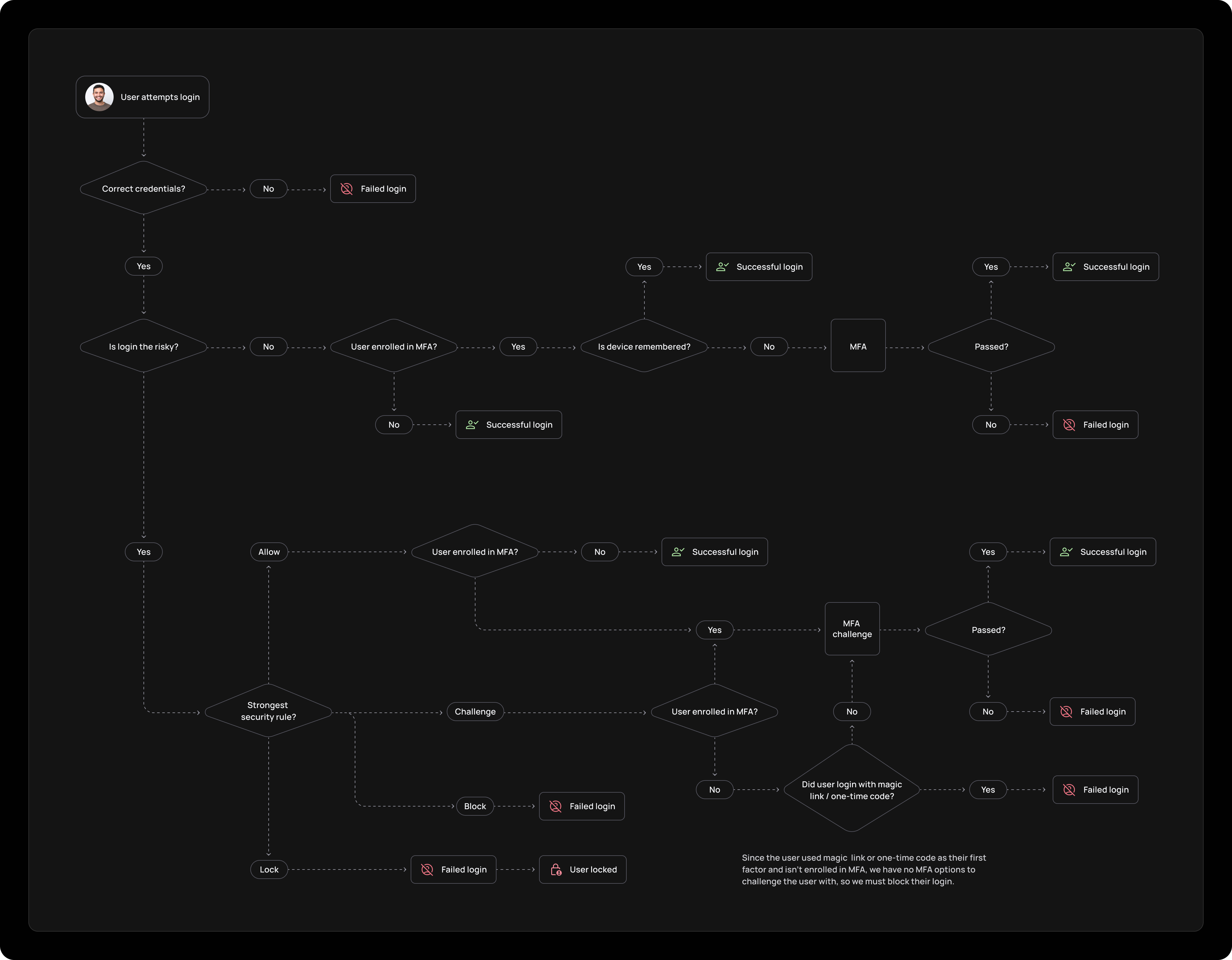
| Defense | Description | Allow | Challenge | Block | Lock |
|---|---|---|---|---|---|
| Bot detection | Identifies malicious bots to prevent security threats | ✓ | ✓ | ✓ | ✓ |
| New device | Analyzes device characteristics to detect potential security threats | ✓ | ✓ | ||
| Brute force protection | Detects repeated failed login attempts to prevent unauthorized access | ✓ | ✓ | ||
| Breached password | Blocks use of passwords known to be compromised in data breaches | ✓ | ✓ | ✓ | |
| Impossible travel | Detects logins from different locations within an unreasonably short timeframe | ✓ | ✓ | ✓ | |
| Suspicious IPs | Identifies suspicious IP activity, allowing detection or prevention of threats | ✓ | ✓ | ✓ | ✓ |
| Stale users | Deactivates inactive accounts to reduce security risks | ✓ | ✓ | ✓ | |
| Email credibility check | Allows only validated emails with good reputations at sign-up | ✓ | ✓ | ||
| Country restrictions | Restricts access based on geographic location using an allow list or block list | ✓ | ✓ |
For selected security rules, you can add rule overrides to force Allow, Challenge, Block, or Lock for specific users, tenants, or IP addresses — without changing the global rule action. Overrides are evaluated in priority order; the first match wins. If nothing matches, the rule fires normally.
Supported in phase one for Suspicious IP, Breached password, Device fingerprint, and Bot detection. See Rule overrides for configuration details, targeting conditions, and examples.
To modify policies for any defense that Frontegg offers, users with an Admin role in the Frontegg account can access and adjust settings from the Security Rules page within any environment.