Use AWS API Gateway to control access to your backend. When API calls are made to your routes, API Gateway verifies the caller's identity using a JWT authorizer and grants access only if the caller is authorized. This guide covers setup for HTTP APIs in API Gateway.
Follow the steps below to protect your AWS resources using the AWS API Gateway JWT authorizer:
- Sign in to the AWS Management Console, search for API Gateway in the top search bar, and open it.
- Select your HTTP API from the list.
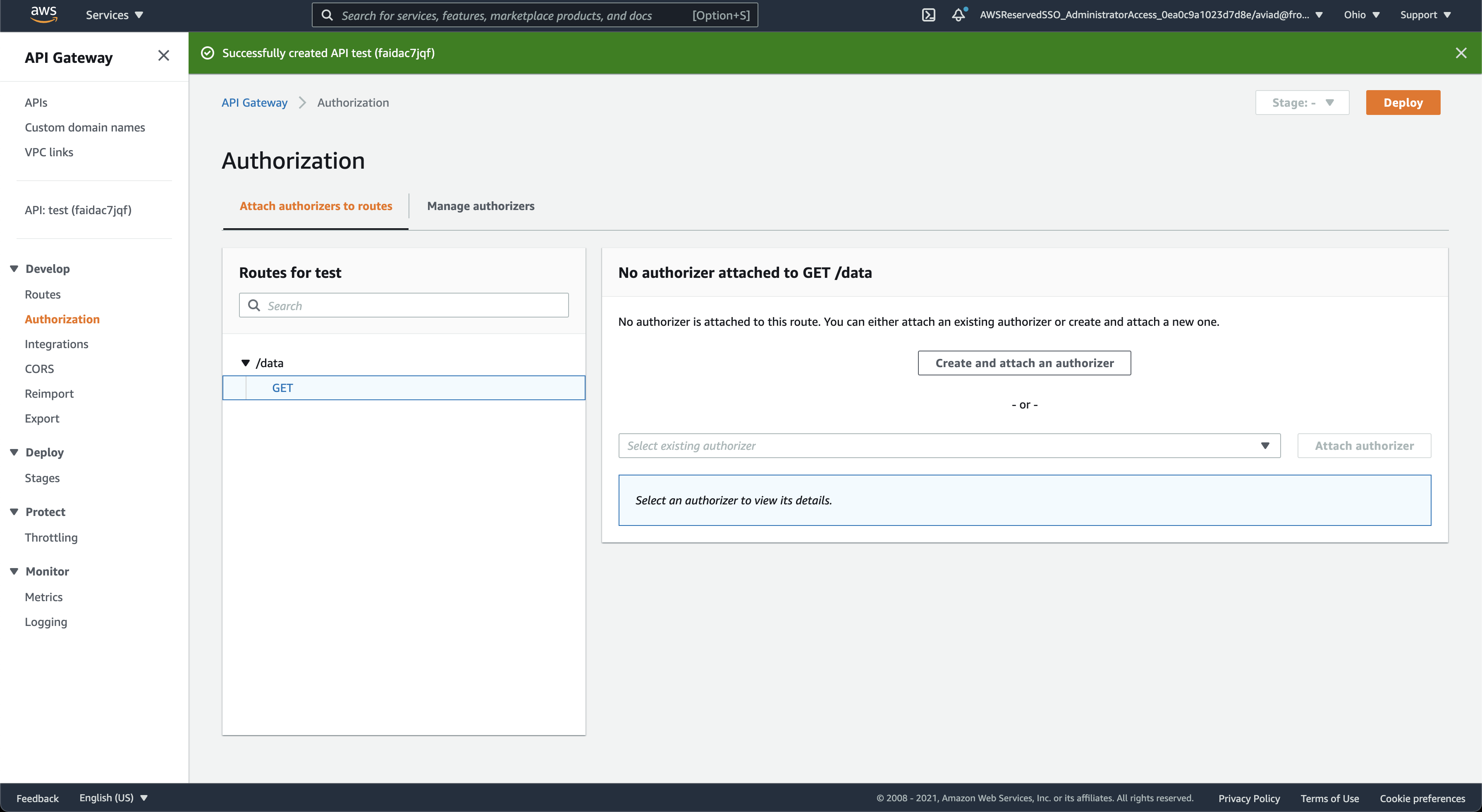
- In the left sidebar, choose Authorization.
- On the Attach authorizers to routes tab, select the route you want to protect from the left panel (for example,
GET /data). - Click Create and attach an authorizer.
On the Create authorizer form, select JWT as the authorizer type, then fill in the following:
| Parameter | Value |
|---|---|
| Name | A logical name to identify this authorizer (for example, frontegg-jwt). |
| Identity source | $request.header.Authorization — already pre-filled; passes the Bearer token from the Authorization header. |
| Issuer URL | In the Frontegg portal, go to your environment → Keys & domains. Copy the Frontegg domain and use: https://[your-frontegg-domain].frontegg.com |
| Audience | Click Add audience. In the Frontegg portal, go to your environment → Keys & domains, copy your Client ID, and paste it here. |
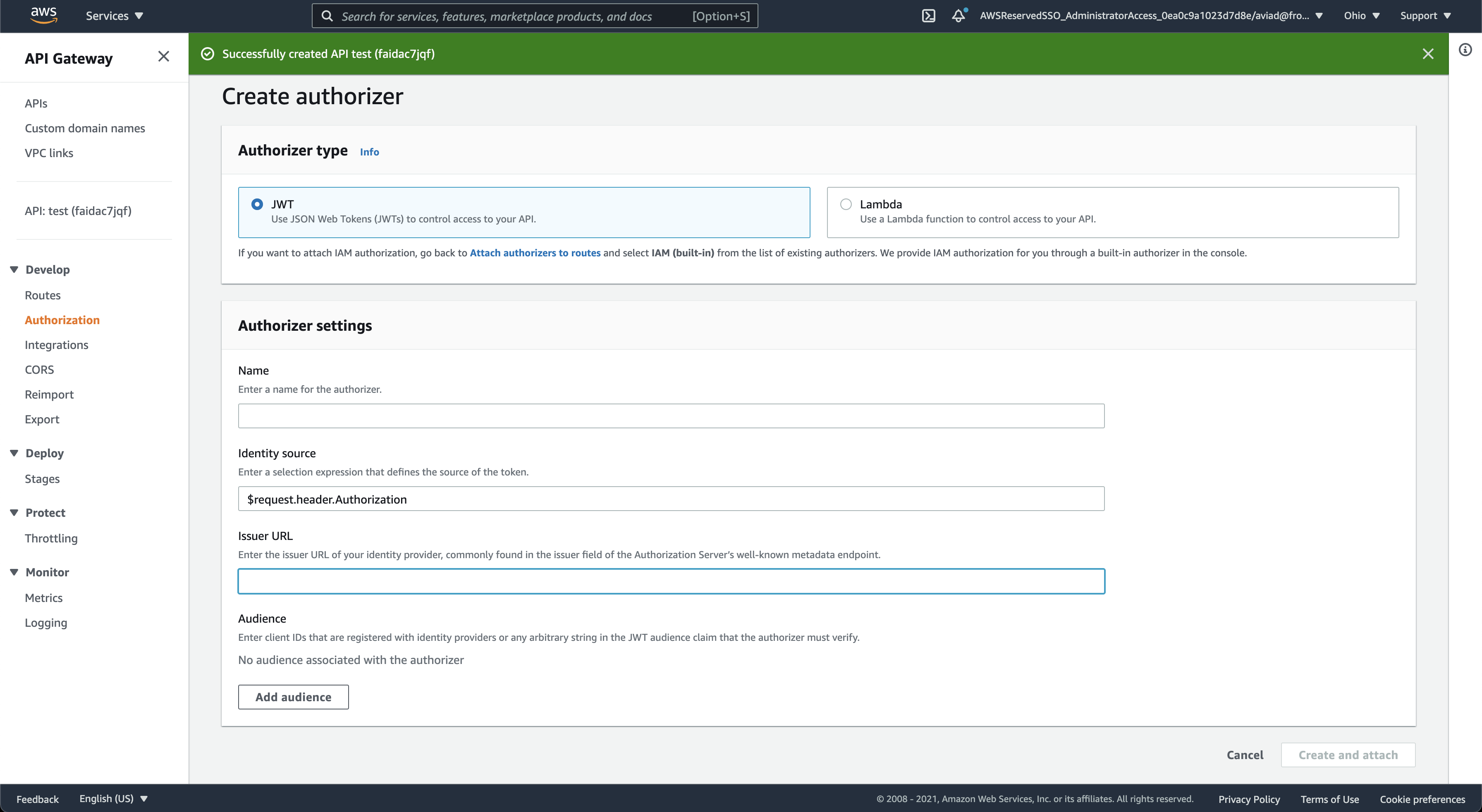
Click Create and attach to save. AWS API Gateway will now validate Frontegg-issued JWTs on every request to the protected route.