SurveyMonkey is an online survey platform for creating, distributing, and analyzing surveys and questionnaires. The SurveyMonkey integration with Frontegg allows your application to access and manage surveys, responses, and collectors on behalf of your users.
Prerequisites
Prerequisites
- A SurveyMonkey account with access to the developer portal
- Permission to create apps in the SurveyMonkey Developer Portal
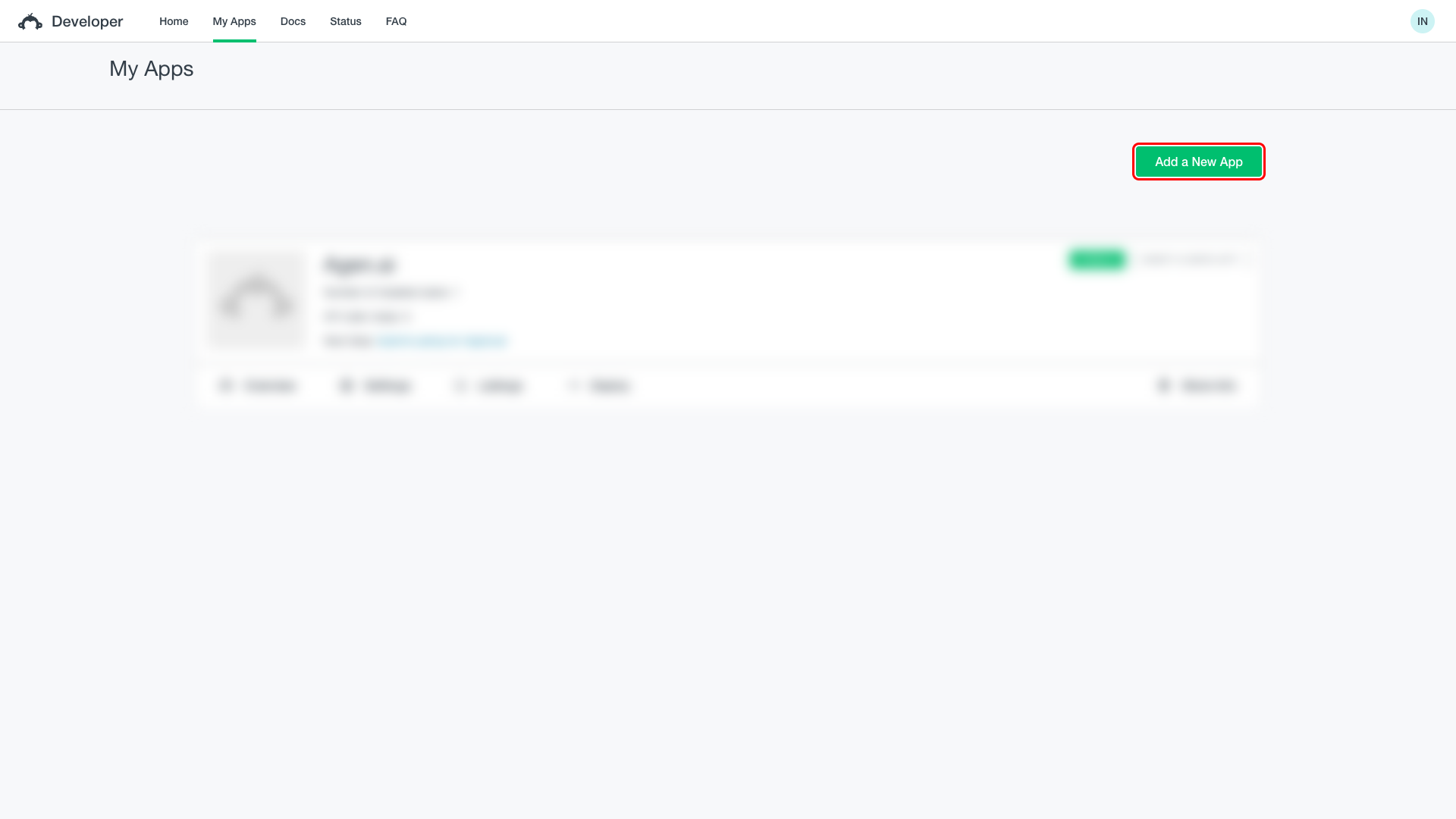
Sign in to the SurveyMonkey Developer Portal and click My Apps in the top navigation. Click Add a New App to open the app creation dialog.
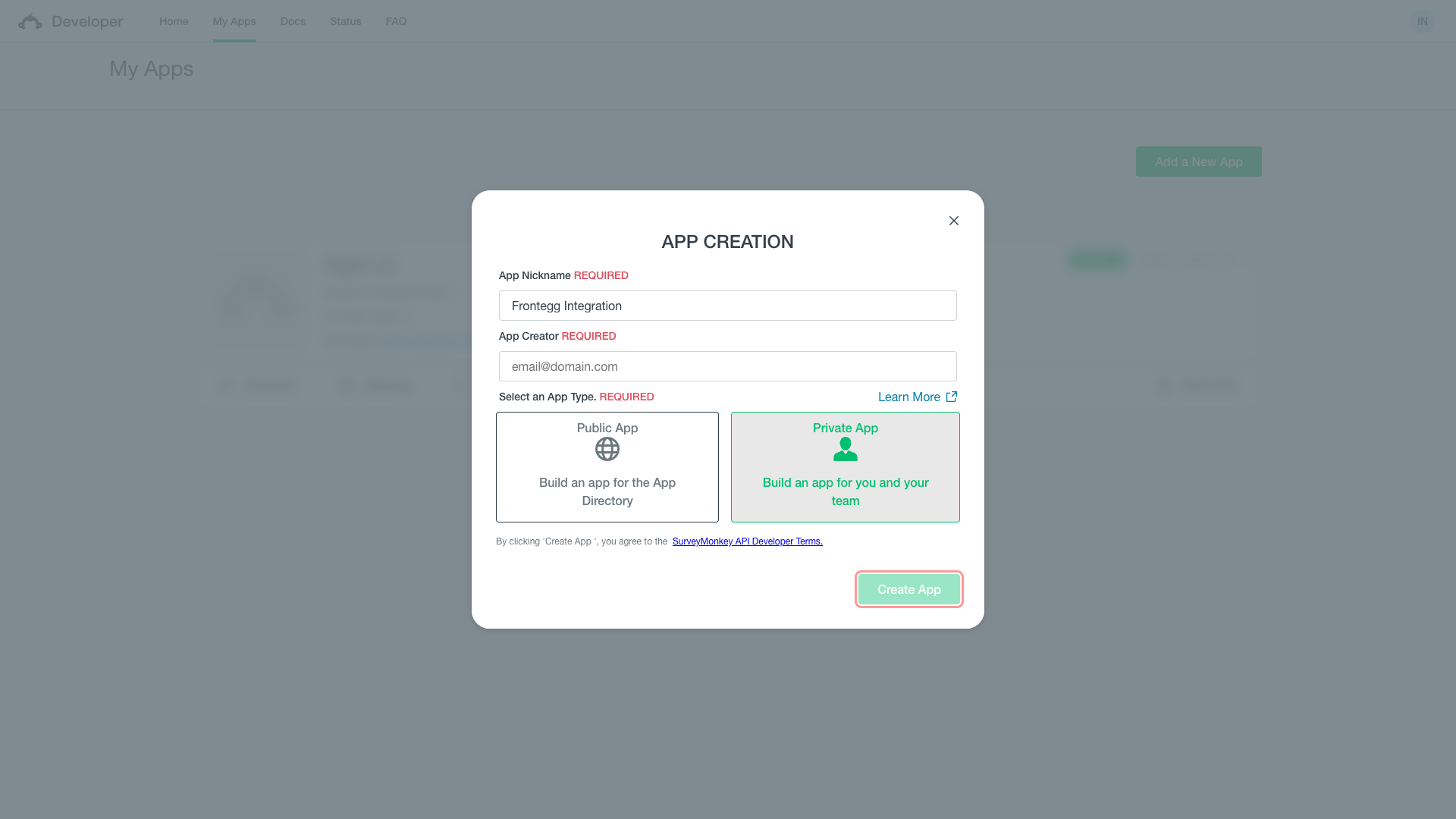
In the dialog that appears, fill in the following fields:
- App Nickname:
Frontegg Integration - App Creator: your email address
- App Type: Select Private App
Click Create App.
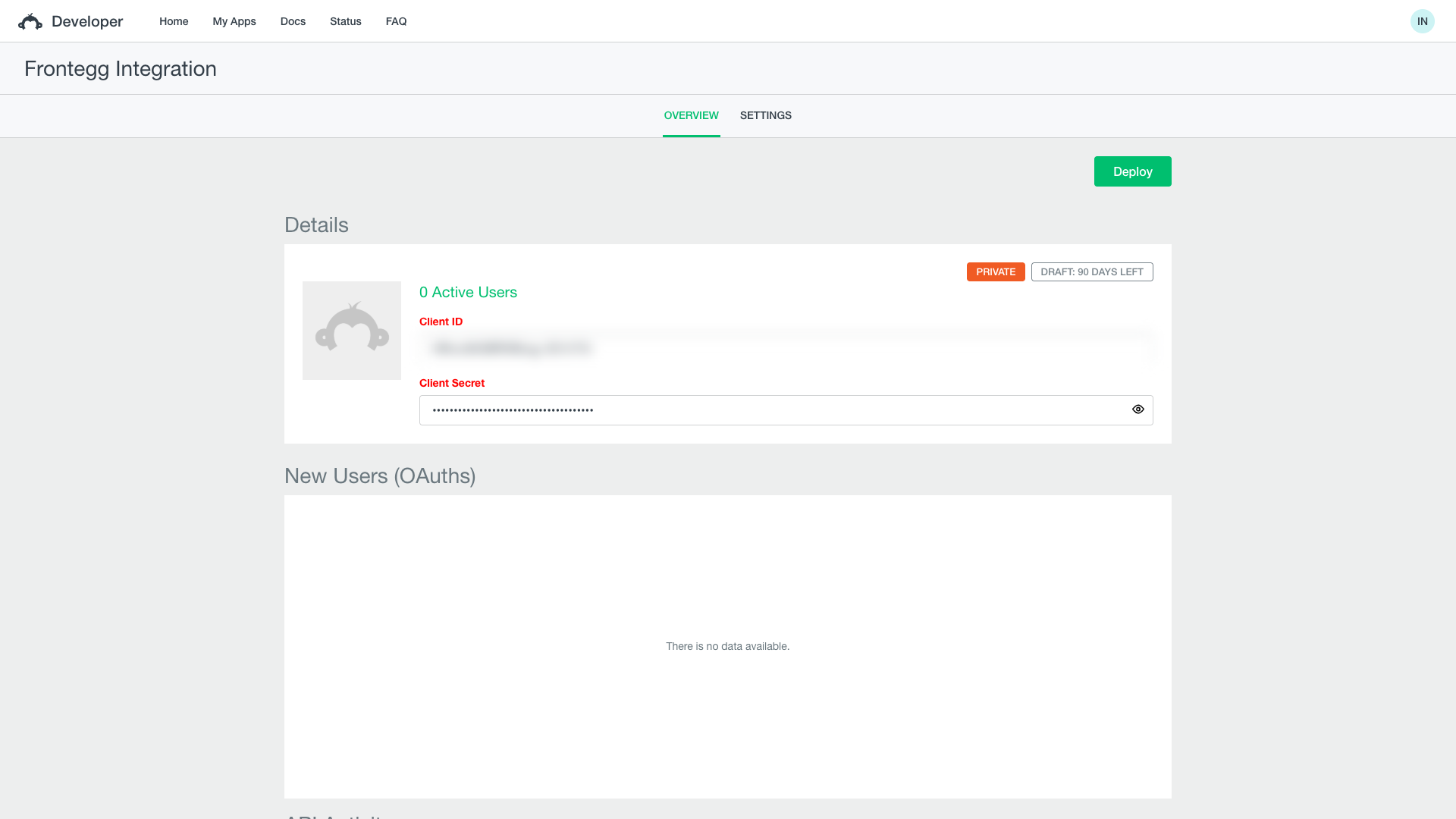
After creation, you are taken to the Overview tab. Copy the Client ID and Client Secret values and store them securely.
Save your credentials
Save your credentials
Copy your Client ID and Client Secret immediately. You will need them to configure the integration in the Frontegg portal.
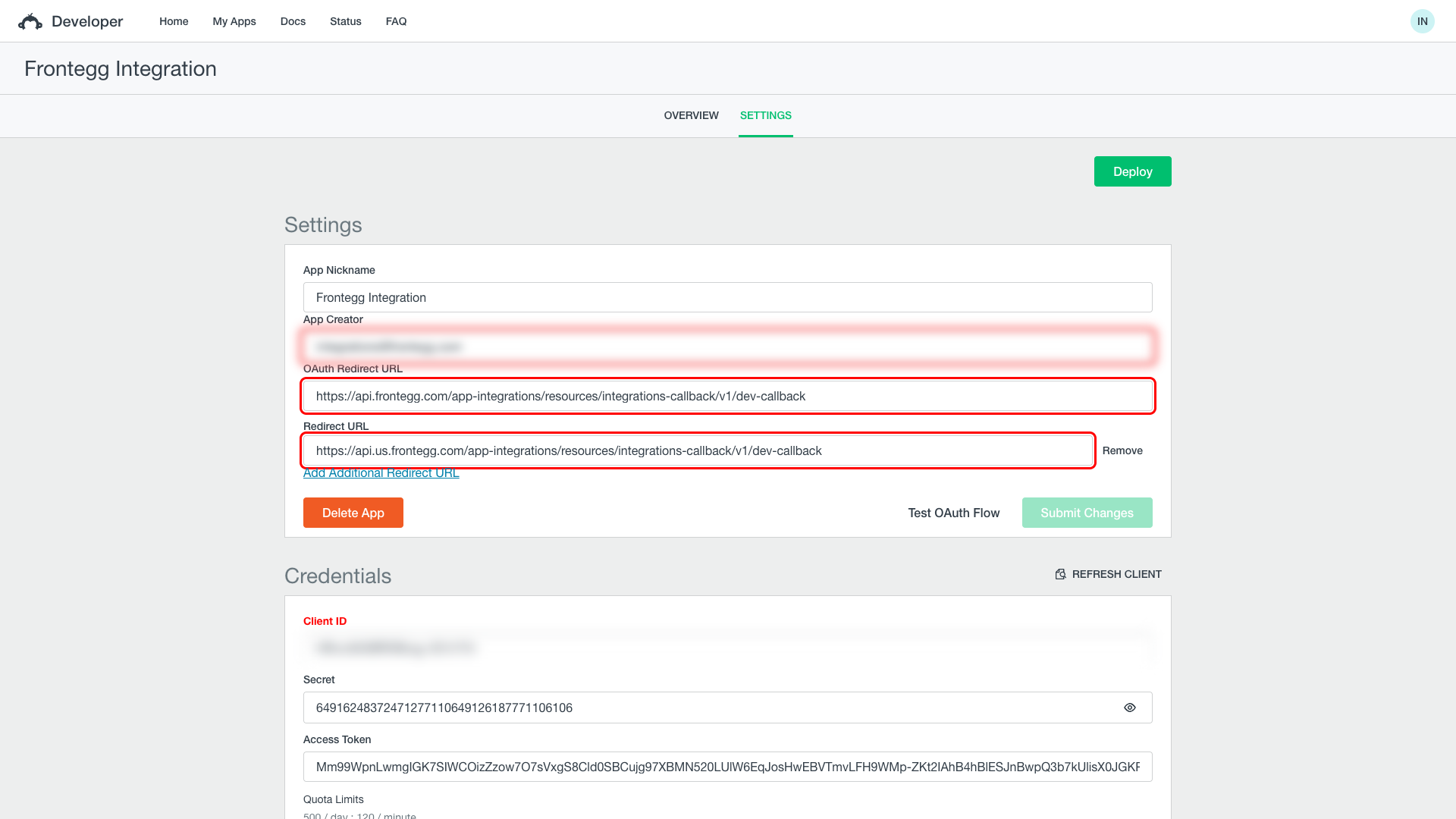
Click the SETTINGS tab. In the OAuth Redirect URL field, enter the Frontegg callback URL:
https://YOUR_MCP_GATEWAY_URL/integration-callback
Click Submit Changes.
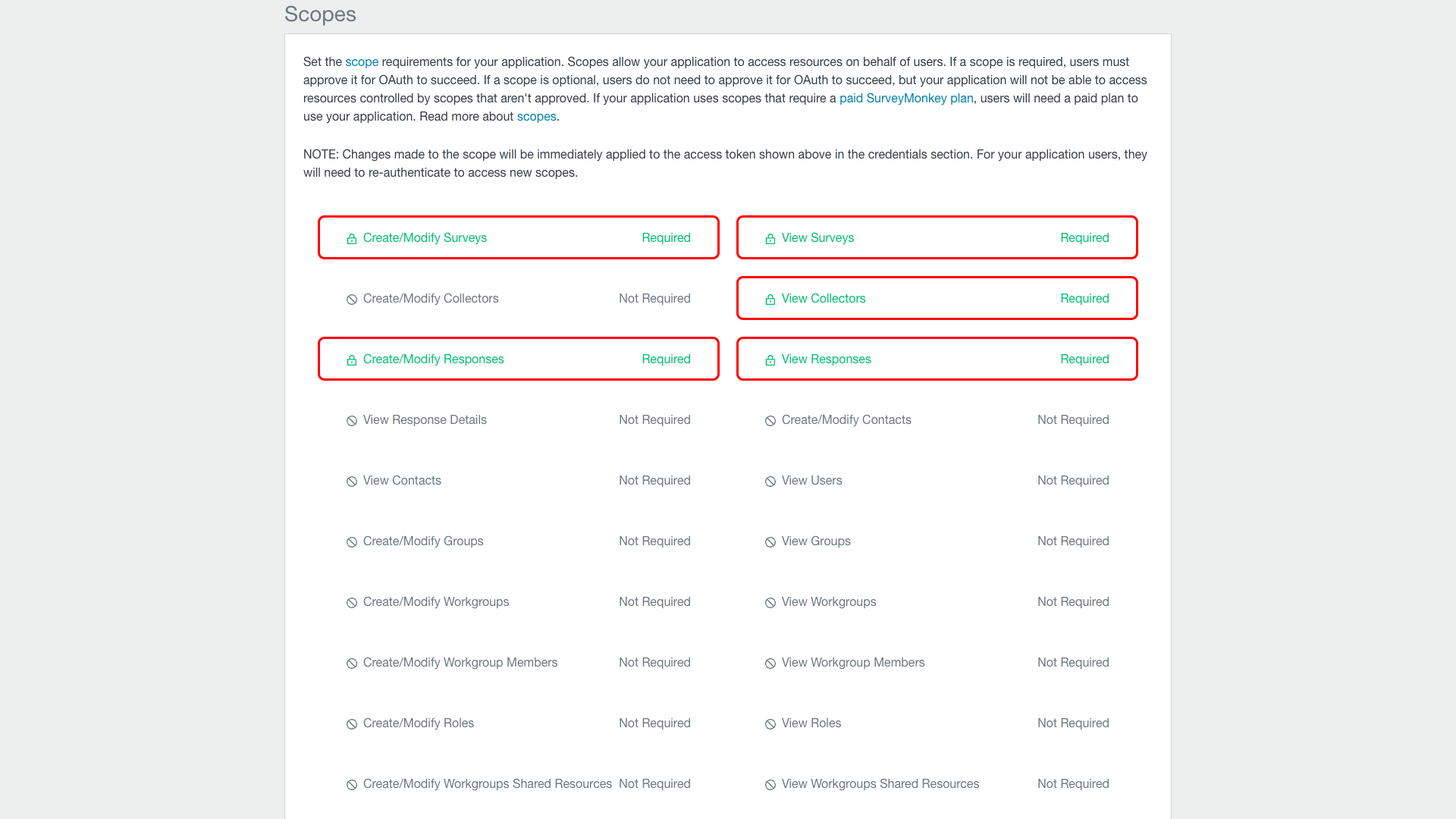
Scroll down to the Scopes section. Click each of the following scopes to set them to Required:
| Scope | Description |
|---|---|
Create/Modify Surveys | Create and modify surveys |
View Surveys | Read survey information |
View Collectors | Read collector information |
Create/Modify Responses | Modify survey responses |
View Responses | Read survey responses |
Click Update Scopes to save.
Once you have your Client ID and Client Secret from the Overview tab, enter them in the Frontegg portal:
- Open the Frontegg portal and navigate to your environment → Integrations → SurveyMonkey.
- Enter the Client ID and Client Secret in the corresponding fields.
- Click Save.
Keep your credentials secure
Keep your credentials secure
Never share or commit your Client Secret to version control.