Linear is a project management tool designed for software teams to plan, track, and manage issues, projects, and workflows.
It can be connected to Agen.co two ways, matching the Official / In-house filter in the connector picker:
- Official — Agen.co connects through Linear's own hosted MCP server, so your AI agents work within the Linear workspace and permissions of the person who authorizes the connection, or of the owner of the API key you provide instead.
- In-house — Agen.co wraps the Linear GraphQL API directly through its own integration layer, using a dedicated OAuth app you register in your Linear workspace.
Pick Official if the built-in MCP tools cover what your agents need. Fall back to In-house if you need broader API coverage or finer-grained scope control.
Prerequisites
Prerequisites
- A Linear account with access to the workspace you want to connect. No OAuth app needs to be created in Linear — with OAuth, the MCP server registers Agen.co as a client automatically, so there is no Client ID or Client Secret to copy.
- If third-party application approvals is turned on in the workspace (Settings → Administration → Security), members can't authorize a new application on their own. Linear shows a screen for requesting approval instead, and a workspace owner or admin has to approve the application before the connection works.
- To use API token instead of OAuth, a Linear API key. Members can create one only if an admin allows it under Settings → Administration → API → Member API keys.
In the Agen.co portal, go to Connectors → My connectors and click Add connector.
In the Select connector drawer, search for
Linearand select it. The Add Linear panel opens with Official selected at the top.Fill in the fields:
Field Required Description Instance Slug Yes Prefixes each imported tool as slug__tool, so several instances of the connector can coexist. Prefilled withlinear. Use lowercase kebab-case. You can change it later from the connector's settings.Authentication Yes OAuth (the default) authorizes through a Linear consent screen. API token uses a Linear API key instead. API key With API token A Linear API key, starting with lin_api_, sent to the MCP server as a Bearer token. Create it in Linear under Settings → Account → Security & access. You can limit the key's permissions and restrict it to specific teams. Connect stays disabled until this field is filled.Click Connect.
With OAuth, Linear opens in a new tab and the panel shows Waiting for authorization — complete it in the opened tab… On the MCP OAuth Client is requesting access screen, check that Access lists Read, Write, and click Approve. The requesting client is named MCP OAuth Client, with your Agen.co gateway callback as its redirect URI, rather than Agen.co. On the next screen, Select a workspace to authenticate, choose the Linear workspace to connect.
Back in Agen.co, the panel switches to Select the tools to import from Linear. Every tool is toggled on; turn off any you don't want to import, then click Add.
The connector is created and its tools imported only when you click Add. If you close the panel before that, nothing is saved, even if the Linear tab reported success.
With OAuth, adding the connector doesn't authorize anyone's tool calls yet. The first time each user's agent calls a Linear tool, the call returns an authorization link instead of a result. The user opens the link, clicks Approve on Linear's consent screen, and selects a workspace on Select a workspace to authenticate. On this consent screen the requesting client is named mcp-gateway:source:<uuid> rather than MCP OAuth Client — this is expected, so tell users to approve it rather than cancel. After that, the user's tool calls run in the workspace they selected, with their own Linear permissions.
With API token, there is no per-user step: every tool call uses the API key, with the permissions and teams of the key's owner.
Once connected, Linear appears under My connectors with tools spanning:
| Area | What it covers |
|---|---|
| Issues | Finding, creating, and updating issues, their attachments, and issue labels |
| Projects | Finding and updating projects, project labels, milestones, and status updates |
| Comments | Reading and creating comments on issues |
| Documents | Reading, creating, and updating documents |
| Cycles and releases | Listing cycles, and working with releases and release notes |
| Teams and users | Listing teams, users, and workspace details, and reading notifications |
| Templates and views | Working with templates, custom views, and agent skills |
| Code review | Listing and reading diffs, commenting on them, submitting reviews, and merging |
| Documentation search | Searching Linear's own documentation |
Enabling the Linear connector isn't enough on its own. Tool calls remain denied until you create a policy that grants access to the specific tools you want to expose.
Linear is a modern project management tool designed for software teams to plan, track, and manage issues, projects, and workflows. Integrating Linear with Frontegg allows your application to access and manage issues, projects, and teams on behalf of your users through OAuth 2.0 authentication.
Prerequisites
Prerequisites
- A Linear account with admin access to a workspace
- Access to the Linear workspace settings
Log in to your Linear workspace. Click your workspace name in the top-left corner and select Settings. In the left sidebar, under Administration, click API. Scroll down to the OAuth Applications section and click New OAuth application.
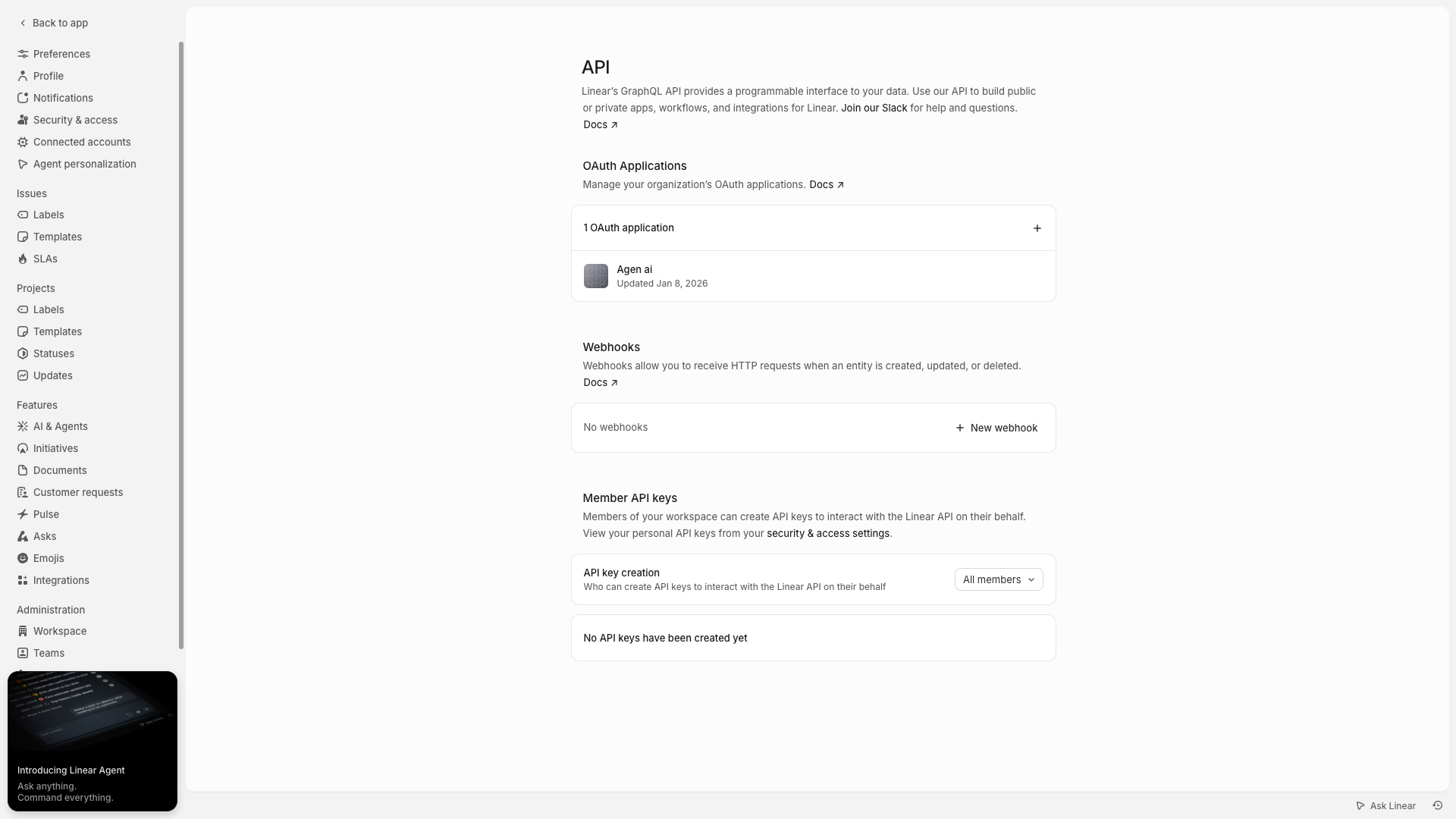
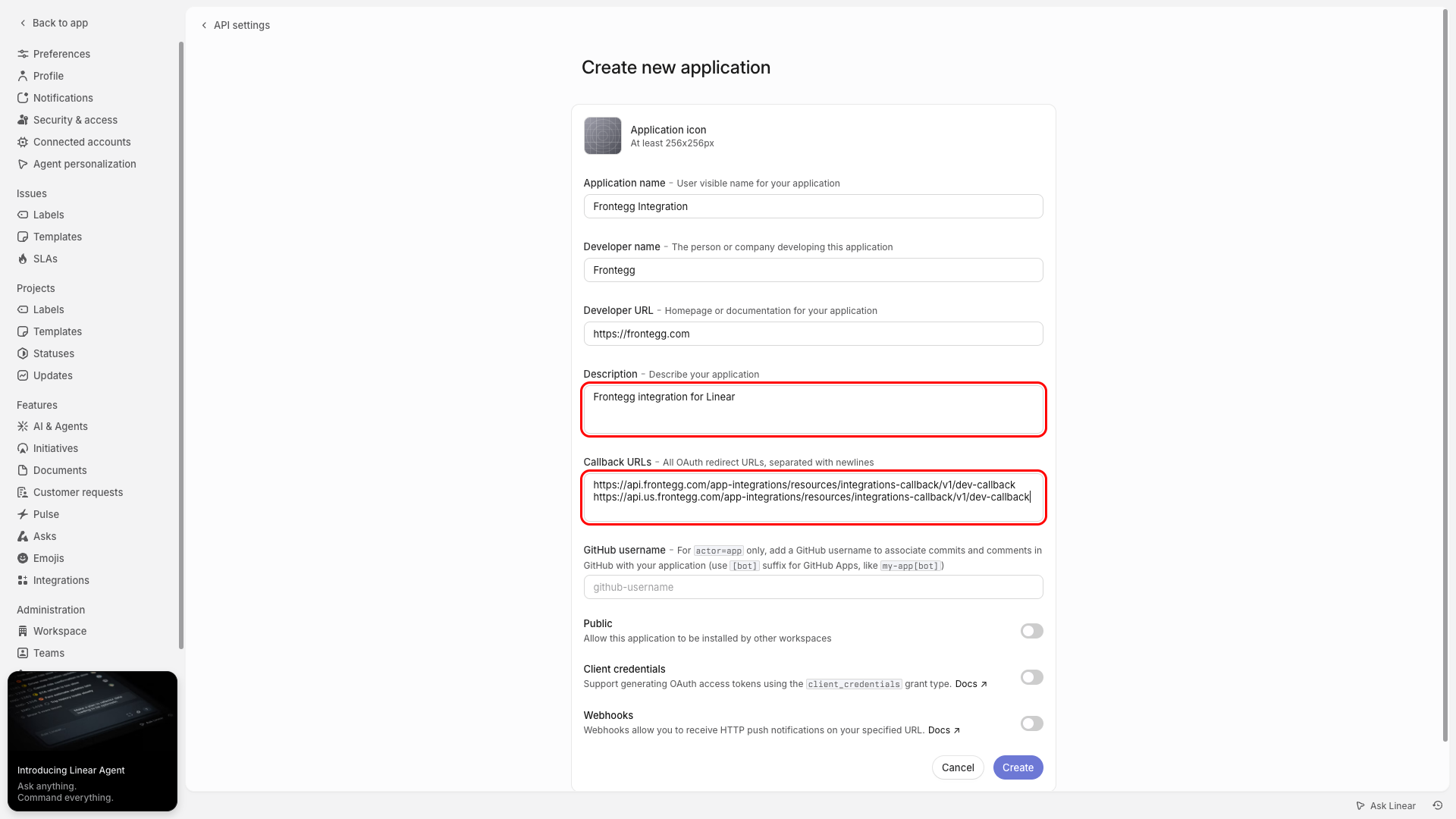
In the Create new application form, fill in the following fields:
- Application name — Enter a descriptive name (e.g., "Frontegg Integration")
- Developer name — Enter your company name
- Developer URL — Enter a link to your application or company homepage
- Description — Enter a brief description of the integration
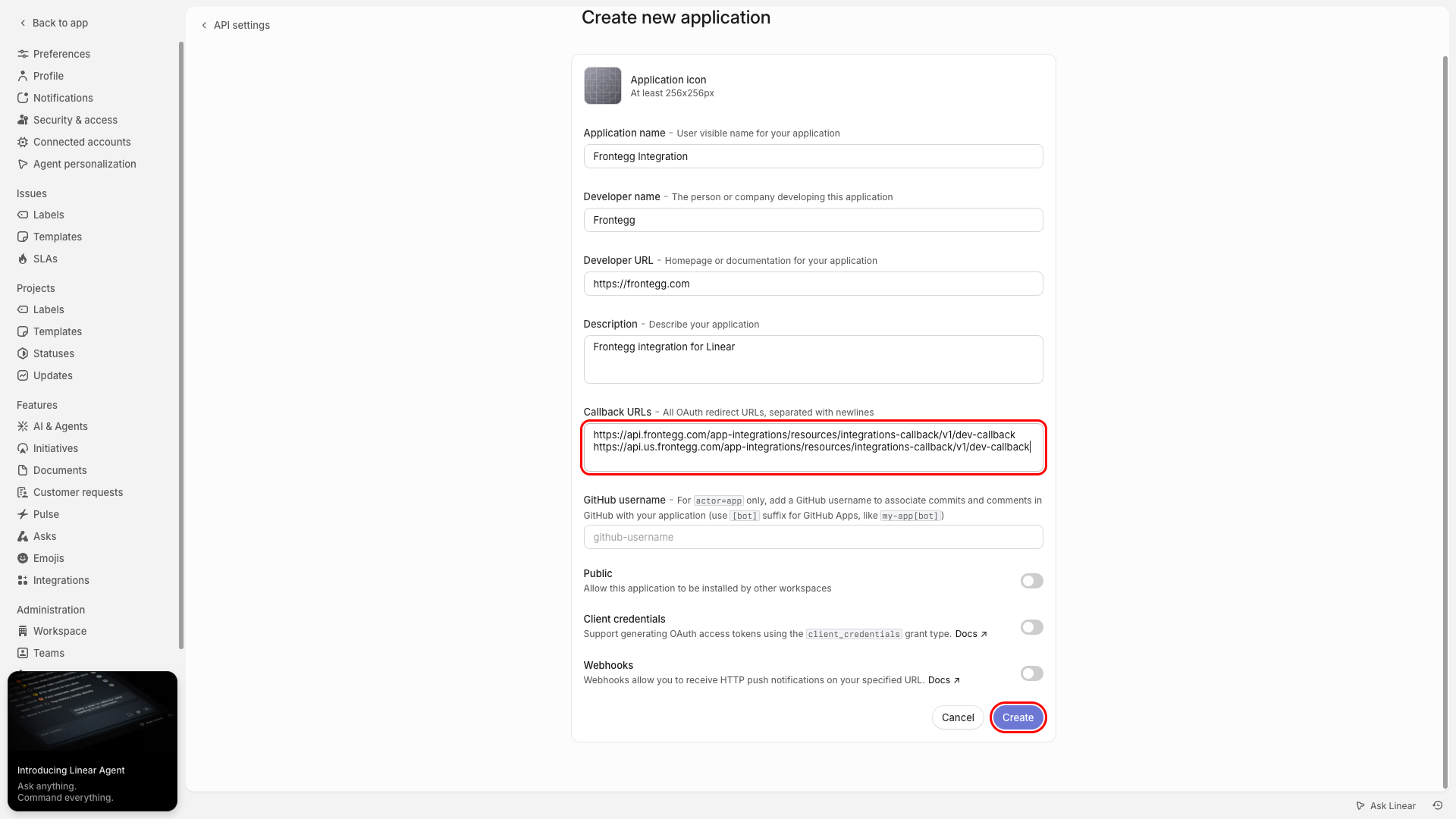
In the Callback URLs field, enter the following redirect URIs, each on a new line:
https://YOUR_MCP_GATEWAY_URL/integration-callback
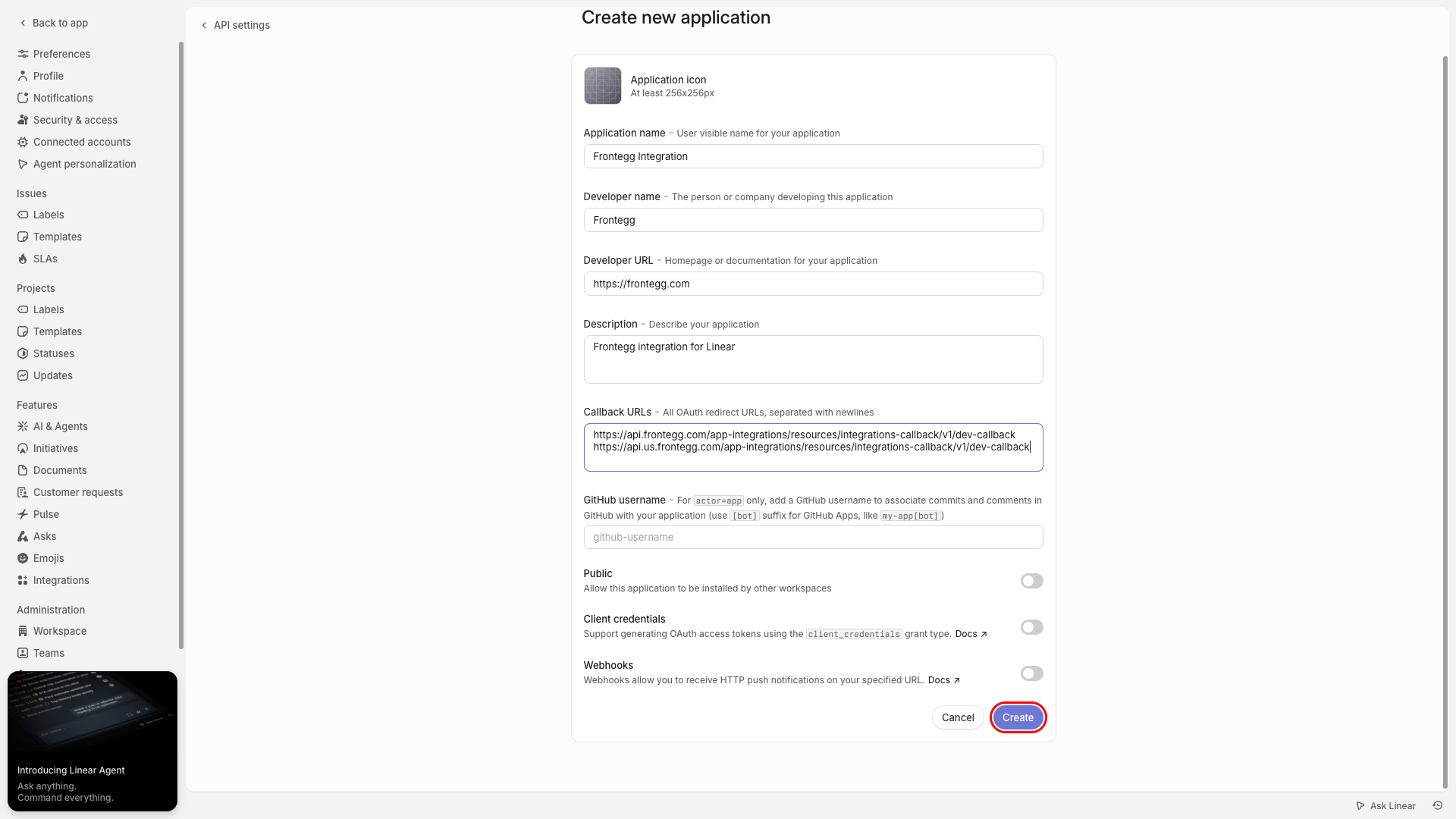
Click the Create button at the bottom of the form to save your application.
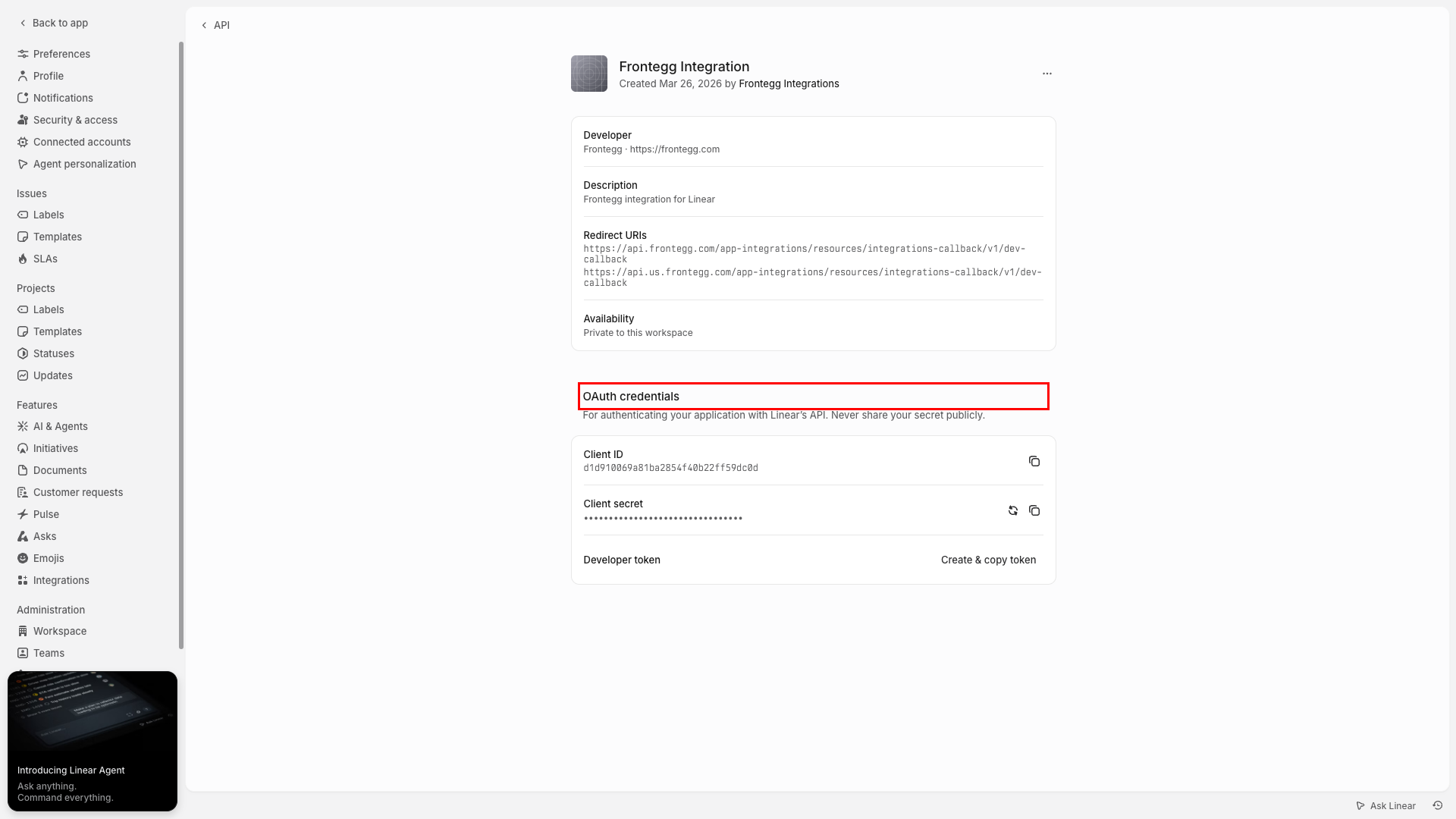
After creating the app, you are redirected to the application settings page. Here you can find the Client ID and Client Secret under the OAuth credentials section.
Copy the Client ID and Client Secret values. You will need them to configure the integration in the Frontegg portal.
Keep your credentials secure
Keep your credentials secure
Never share or commit your Client Secret to version control.
Linear supports the following OAuth scopes that define the level of access your application requests:
| Scope | Description |
|---|---|
read | Read access to the user's account |
write | Write access to the user's account |
admin | Full admin-level access |
Minimum required scopes
Minimum required scopes
For basic functionality, you need: read, write.
Once you have obtained your Client ID and Client Secret from the steps above, enter them in the integration configuration page of the Frontegg portal:
- Open the Frontegg portal and navigate to [ENVIRONMENT] → Integrations → Linear.
- Enter the Client ID and Client Secret in the corresponding fields.
- Select the required scopes.
- Click Save.